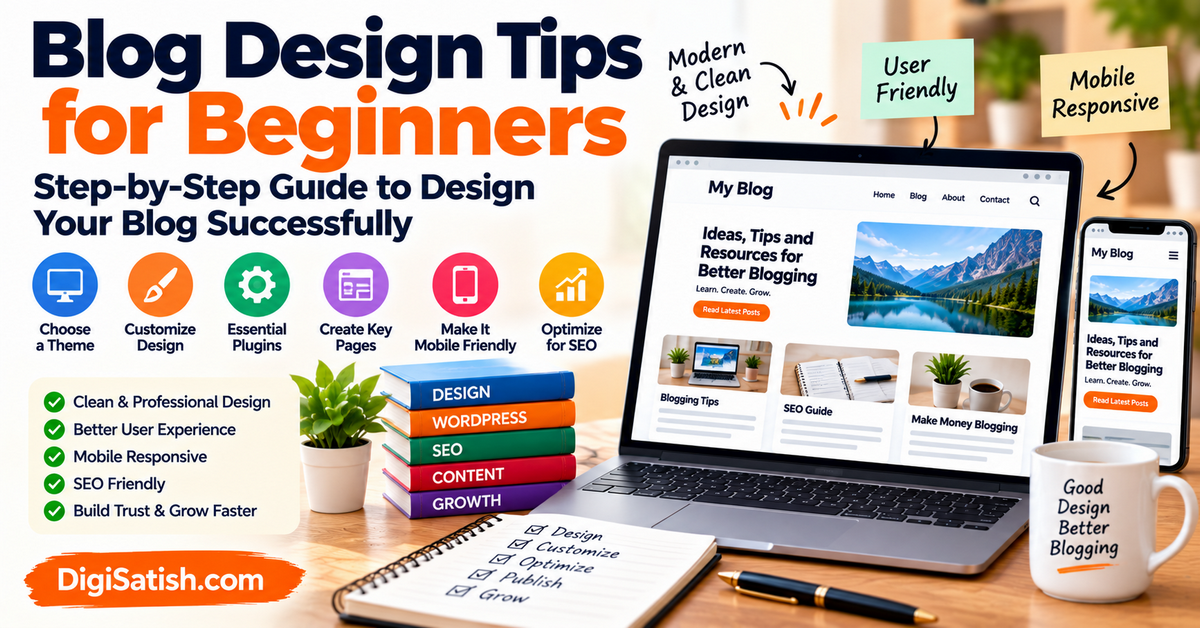
Blog design tips for beginners can make a huge difference in how your website looks and performs.
Are you seeking the best design tips for beginners to enhance your blog’s professional appearance? Starting a blog is exciting, but many beginners underestimate the importance of blog design.
The way your blog looks and functions can strongly influence how visitors interact with your content.
A well-structured blog layout enhances readability, improves user experience, and helps search engines better understand your website’s structure.
In this step-by-step guide, you’ll learn practical blog design tips. These tips will help you create a clean, professional, and user-friendly blog.
Good design also encourages visitors to stay longer and explore more pages. Before focusing on design, it helps to understand what blogging really is, so read this guide on what is blogging.
You can benefit from these tips whether you’re starting your first blog. You can also benefit if you’re running a WordPress blog or improving an existing site.
These beginner-friendly design tips will help you create a clean and effective blog layout.
What Is Blog Design?
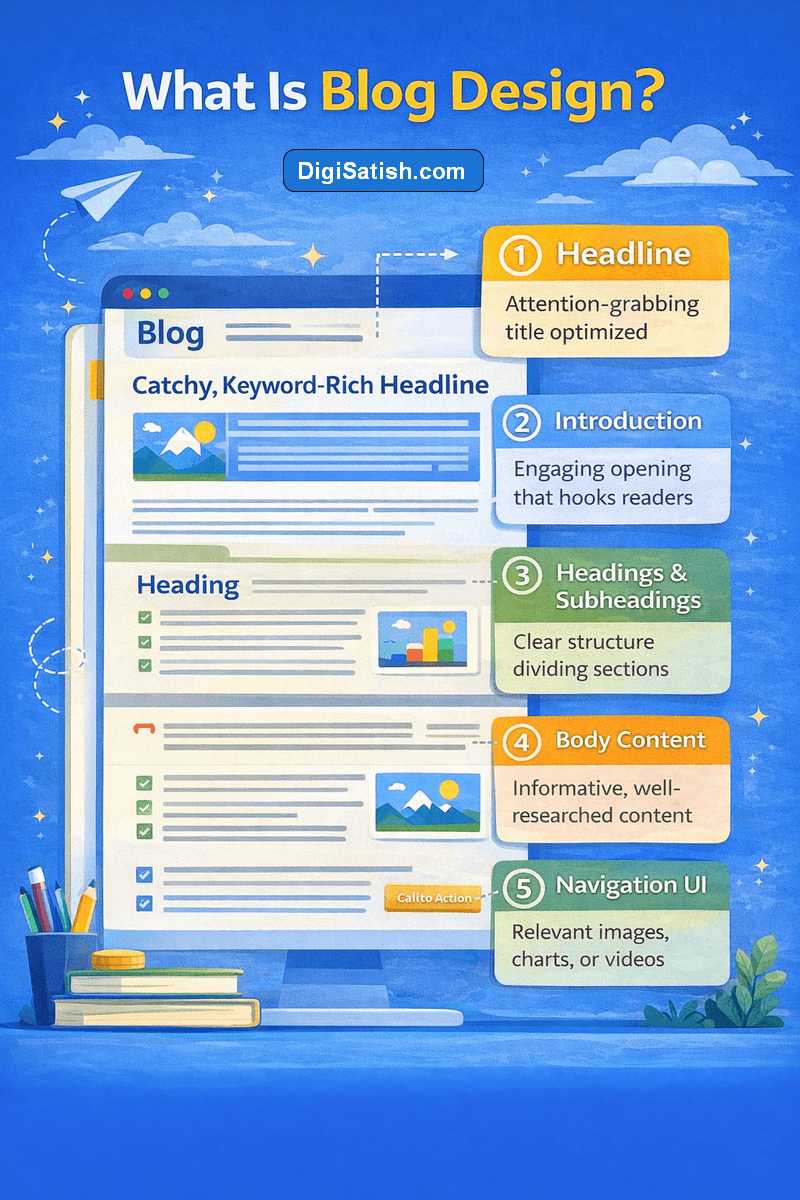
Before applying design tips, it’s important to understand what blog design actually means.
Blog design involves the layout, colors, typography, navigation, and visual elements that shape how visitors experience your blog.
A well-designed blog also improves SEO performance in several important ways:
- Improves user engagement and session duration
- Boosts mobile-friendliness and responsive design
- Enhances site speed through optimized assets
- Promotes better crawlability and site structure
- Supports accessibility and proper heading usage
- Increases click-through rates through visual hierarchy
- Enables image optimization for faster loading
- Facilitates internal linking and logical content flow
A thoughtful design makes your blog easier to read and more enjoyable to explore.
Definition of Blog Design and Blog Layout
Blog design refers to the visual structure and layout of your blog. It includes everything from the header, as well as fonts and colors.
Also included are navigation menus and page layout. All these elements contribute to the overall user experience of your website.
A good blog layout helps readers easily navigate your blog and find the information they need. When your blog design looks organized and professional, readers are more likely to trust your content.
They are also more likely to return for future posts.
For beginners, blog design should focus on three main principles:
- Simplicity
- Readability
- User-friendly navigation
These principles help you build a blog that is both attractive and easy to use.
Essential Elements of Good Blog Design
Every successful blog includes several important design elements. These components help make your blog functional, visually appealing, and easy to navigate.
Some essential new blog design elements include:
1. Blog Header
Your header usually contains:
- Blog logo
- Navigation menu
- Tagline or brand message
This section helps readers quickly understand what your blog is about.
2. Blog Post Layout
A good blog post layout should include:
- Clear headings
- Short paragraphs
- Readable fonts
- Proper spacing
This improves readability and keeps visitors engaged.
3. Navigation Menu
A clear navigation menu makes it easy for readers to explore your blog topics.
Categories such as blogging tips, tutorials, reviews, and guides help organize your blog content.
4. Sidebar and Widgets
Sidebars can include helpful elements such as:
- Popular posts
- Email subscription forms
- Categories
- Social media links
However, avoid adding too many widgets because clutter can harm user experience.
How to Design a User-Friendly Blog Layout
Your blog design has a direct impact on both user experience (UX) and search engine optimization (SEO).
When visitors land on your blog, they should instantly understand:
- What your blog is about
- How to navigate your content
- Where to find useful information
If your blog design is confusing or overcrowded, readers may leave quickly. This increases your bounce rate, which can negatively affect search engine rankings.
Good blog design improves SEO in several ways:
- Better readability: Using easy-to-read fonts and proper spacing helps visitors stay longer on your website.
- Clear navigation: Well-structured navigation allows search engines to crawl your blog more effectively.
- Mobile-friendly design: Most blog readers today use smartphones. A mobile-friendly blog design ensures your site works well on all devices.
- Fast loading pages: A simple blog design usually loads faster, which is another ranking factor for search engines.
A well-designed blog should also follow search engine optimization best practices so your content can rank on Google.
10 Blog Design Tips for Beginners
Once your blog structure is ready, the next step is to improve its overall appearance and usability.
These tips will help you create a blog that looks professional. They will improve readability. They will also keep visitors engaged with your content.
Designing a blog does not require advanced design skills. You might be just starting to think about a blog.
Simple improvements in layout, typography, and navigation can transform your site into a great blog that readers enjoy.
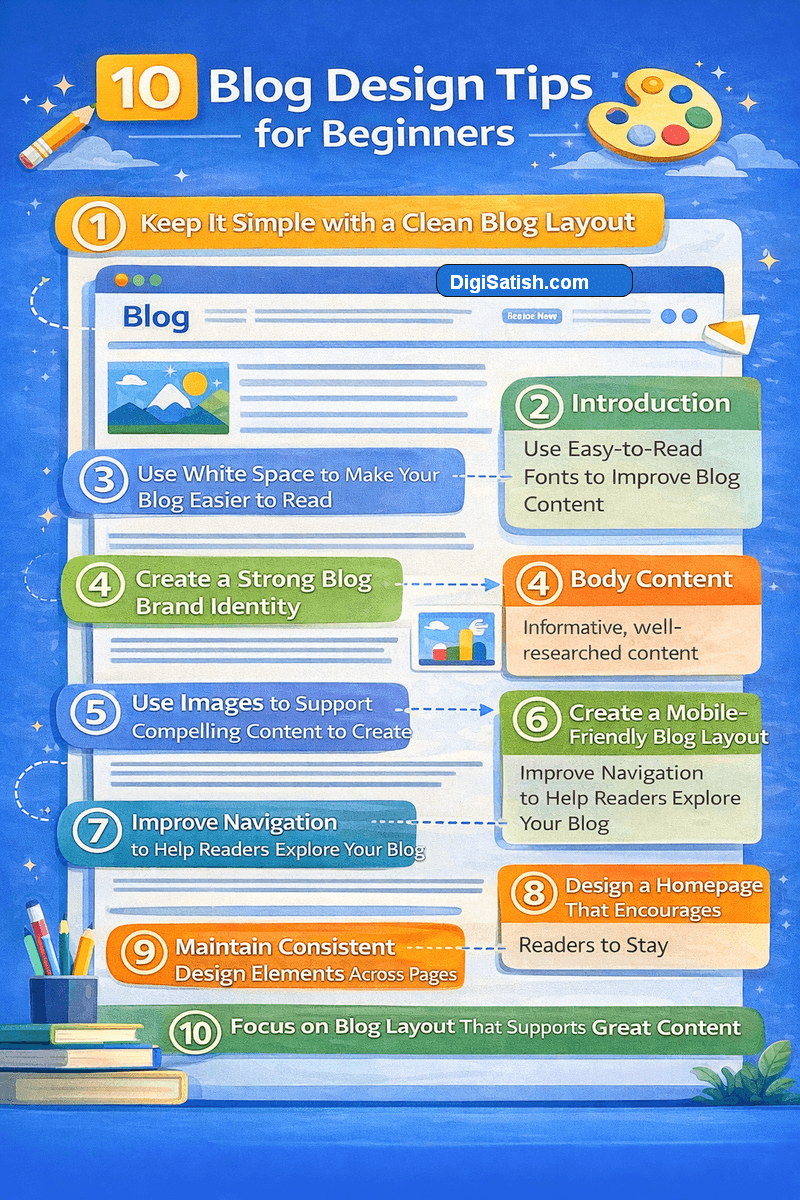
These 10 blog design tips for beginners will guide you in designing your blog effectively. They will also ensure it remains easy for readers to explore.
Tip 1: Keep It Simple with a Clean Blog Layout
One of the most important blogging tips for beginners is to keep it simple. A cluttered blog layout filled with too many elements can distract readers from your blog content.
A simple blog design helps visitors focus on your posts. Successful bloggers often follow minimalist design principles because they make your blog easier to navigate and improve readability.
If you’re designing your first blog, remember this rule:
- Avoid unnecessary design features
- Reduce visual clutter
- Focus on clean layout and readable content
A clean layout also helps search engines understand your website structure.
Tip 2: Use Easy-to-Read Fonts to Improve Blog Content
Typography plays a huge role in blog readability. Choosing the right font makes your blog easier to read and encourages visitors to keep reading your blog posts.
Many professional blogs use sans-serif fonts because they are easier to read on screens.
Good font practices include:
- Use easy-to-read fonts like Open Sans, Roboto, or Arial
- Maintain consistent font size
- Avoid decorative fonts for blog writing
Readable typography makes your blog content accessible to every reader.
Tip 3: Use White Space to Make Your Blog Easier to Read
White space is an essential part of modern blog design best practices. It refers to the space around text, images, and design elements.
When you use white space properly:
- Blog content becomes easier to read
- Pages look more professional
- Readers stay longer on your blog
White space also helps organize design elements so readers can easily focus on the main content.
Tip 4: Create a Strong Blog Brand Identity
A consistent blog color scheme helps define your brand identity. Your blog colors should reflect your blog niche and make the design visually appealing.
For example:
- Educational blogs often use calm colors
- Technology blogs prefer minimal or dark themes
- Lifestyle blogs use vibrant colors
Choosing the right color combination helps create a design style that represents your blog personality.
Tip 5: Use Images to Support Compelling Content to Create
Adding visuals improves the overall design of your blog. Images help break long blocks of text and make posts more engaging.
You can include:
- Infographics
- Screenshots
- Illustrations
- A photo on your blog
Visual content also improves user experience and keeps readers engaged.
Tip 6: Create a Mobile-Friendly Blog Layout
Today, most people read blogs on smartphones. A mobile-friendly blog design ensures your blog works well on all screen sizes.
Responsive design automatically adjusts layout for different devices. This improves user experience and helps your blog rank better in search engines.
Tip 7: Improve Navigation to Help Readers Explore Your Blog
Visitors should be able to navigate your blog easily. Clear navigation helps readers discover more content on your site.
You can improve blog navigation by adding:
- Clear menu structure
- Blog categories
- Search bar
- Related posts section
Good navigation keeps readers exploring your blog longer.
Tip 8: Design a Homepage That Encourages Readers to Stay
Your homepage acts as the front page of your blog. It should highlight your best content and show visitors what your blog is about.
A well-designed homepage includes:
- Featured posts
- Blog categories
- Author introduction
- Clear navigation
A professional homepage makes your blog look trustworthy and organized.
Tip 9: Maintain Consistent Design Elements Across Pages
Consistency is key in professional blog design. Fonts, colors, and layout should remain consistent across all pages.
Consistent design elements make your blog look polished and improve the overall reader experience.
Tip 10: Focus on Blog Layout That Supports Great Content
Your blog layout should always support the content you publish. Even the best ideas can lose their impact if the design makes it hard for readers to follow along.
When you write a blog, the layout should guide visitors smoothly from the headline to the conclusion.
A simple blog layout helps readers focus on the message instead of getting distracted by too many design elements.
Use clear headings, short paragraphs, and enough white space so your content is easier to read. This approach is one of the most effective blogging tips for beginners.
A good layout also makes it easier for visitors to explore more posts on your site.
When your design supports your writing, readers can quickly understand your ideas and stay longer on your blog. Over time, this improves engagement and helps you build a successful blog.
Key Blog Design Elements for Better User Engagement
When designing blog pages, the goal is to create a layout that looks professional. It should help readers easily explore your content.
A well-designed blog layout improves readability, supports navigation, and makes your blog more enjoyable to use.
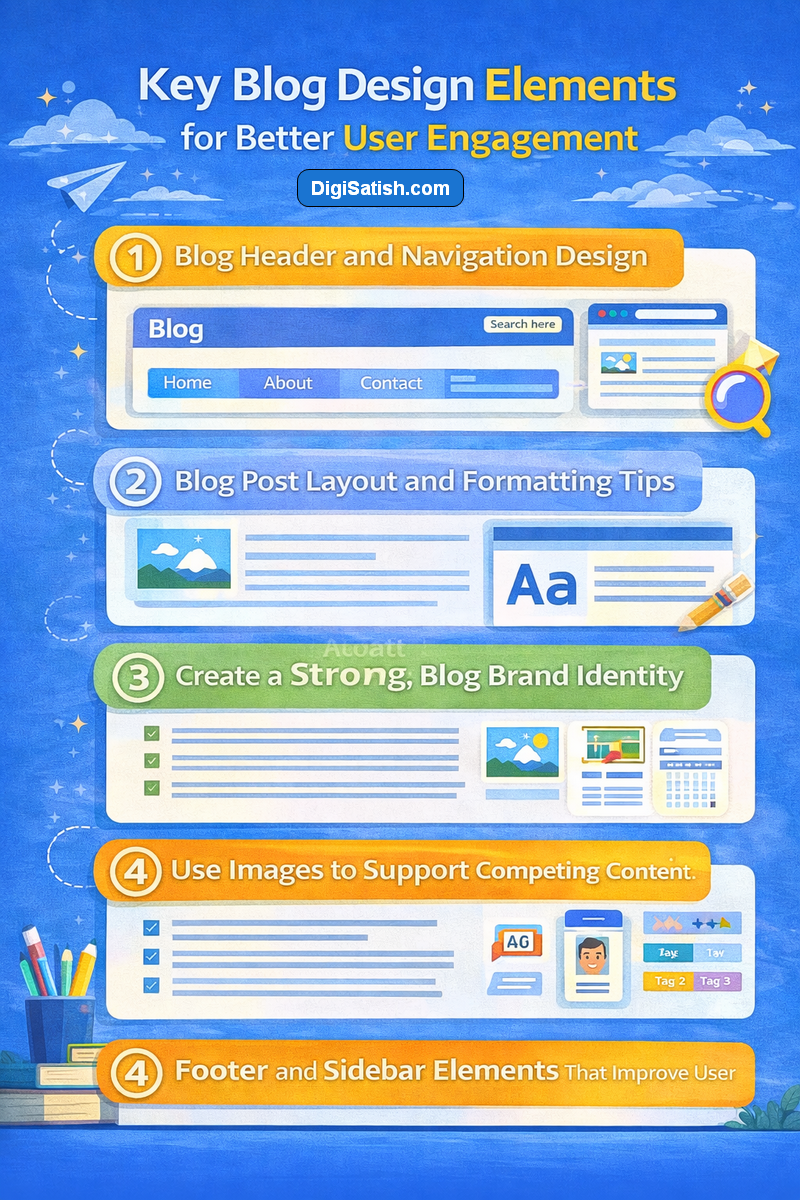
To build a successful blog, focus on key design elements. These elements shape how visitors experience your website.
These elements include the header, blog post layout, and footer sections. When these parts are well organized, they help make your blog look more trustworthy and easier for readers to navigate.
1. Blog Header and Navigation Design
The blog header is one of the first things visitors notice when they land on your website. A well-designed header should clearly show your blog name, logo, and navigation menu.
Your navigation menu should help readers quickly find important blog topics and sections of your site. Keep the menu simple and organized so visitors can easily move from one page to another.
Good navigation also supports readers who want to write a blog or learn more about blogging.
When visitors can easily navigate your blog, they are more likely to explore multiple pages. They tend to spend more time reading your content.
2. Blog Post Layout and Formatting Tips
A clean blog post layout makes your content easier to read and understand. When you write a blog, the formatting should guide readers through the information step by step.
To improve blog readability, follow these simple formatting practices:
- Use clear headings and subheadings
- Keep paragraphs short
- Use bullet points and numbered lists
- Add images or visuals when needed
These formatting tips help present your ideas clearly and support compelling content to create value for your readers.
A well-structured layout also makes your posts easier to scan, which improves the overall reading experience.
3. Footer and Sidebar Elements That Improve User Experience
The footer is the final section visitors see when they scroll down your blog page. Even though it appears at the bottom, it still plays an important role in the overall blog’s design.
A good footer can include:
- Contact information
- Navigation links
- Privacy policy or important pages
When these elements are organized clearly, they help readers navigate your blog more easily and continue exploring your content.
A well-organized sidebar and footer guide visitors through your content. They encourage them to continue reading more posts on your blog.
4. Sidebar and Widgets
The sidebar is another useful area of your blog where you can display important information for readers. Sidebars allow you to highlight useful sections of your website and help visitors discover more content.
Common elements you can add to your sidebar include:
- Popular posts
- Recent posts
- Blog categories
- Social media links
These elements help readers explore different blog topics and find more content quickly.
Improve Blog Readability and Scannability
A well-designed blog should make it easy for readers to quickly understand and scan your content.
Improving blog readability and scannability helps visitors find the information they need without feeling overwhelmed.
When you write a blog, your formatting and layout should guide readers naturally from one section to another.
A clear structure makes your blog content easier to follow and encourages readers to stay longer on your site.
To improve readability across your blog, follow these simple formatting practices:
- Use clear headings and subheadings to organize blog topics
- Keep paragraphs short so the content is easier to read
- Use bullet points and numbered lists to highlight key ideas
- Add images or visuals to break up long sections of text
- Leave enough white space between paragraphs and elements
These formatting improvements make your posts easier to scan and help readers quickly understand your message.
When your blog content is organized and easy to read, visitors are more likely to continue exploring your site. They are also more inclined to engage with your posts.
How to Start a Blog with a Simple Blog Layout
Designing a blog may seem complicated at first, especially if you are new to blogging.
However, by following a simple step-by-step process, you can create a clean and professional blog layout without advanced design skills.
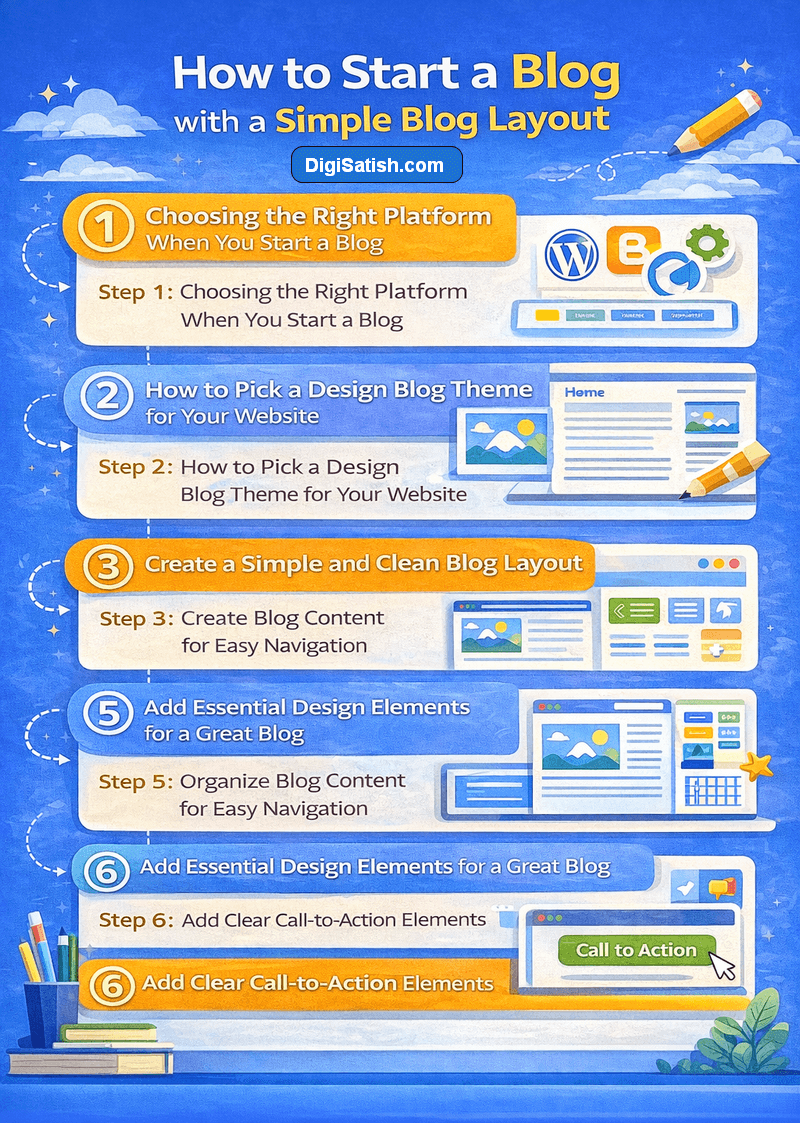
The steps below will help you design your blog effectively from the beginning.
Step 1: Choosing the Right Platform When You Start a Blog
Before designing your blog, you need a reliable blogging platform. Many successful bloggers choose WordPress because it offers flexibility, customization, and thousands of design themes.
Some advantages of using WordPress include:
- Easy customization
- SEO-friendly features
- Large plugin ecosystem
- Thousands of blog themes
WordPress makes it easier for beginners to design a professional blog without advanced coding skills.
If you are starting your first blog, choose one of the best free blogging platforms. This can make the design process much easier.
Step 2: How to Pick a Design Blog Theme for Your Website
Your blog theme controls the overall design style and layout of your blog. Choosing the right theme is one of the most important steps in blog design.
Look for themes that offer:
- Clean blog layout
- Mobile responsive design
- Fast loading speed
- Customization options
- SEO-friendly structure
Minimalist themes often work best for beginners because they keep the blog layout simple and distraction-free.
Step 3: Create a Simple and Clean Blog Layout
One of the best blog design tips for beginners is to keep your layout simple.
A clean blog layout helps readers focus on your content instead of unnecessary design elements.
Good blog layout practices include:
- Using white space effectively
- Avoiding cluttered sidebars
- Limiting the number of colors
- Keeping navigation simple
Remember, simplicity improves readability and user experience.
Step 4: Organize Blog Content for Easy Navigation
Organizing your blog content helps readers quickly find what they are looking for.
You can improve blog navigation by:
- Creating clear blog categories
- Adding breadcrumb navigation
- Using a search feature
- Displaying related posts
Good navigation also helps search engines understand your website structure.
Step 5: Add Essential Design Elements for a Great Blog
To create a great blog, you should include essential design features such as:
- Attractive header design
- Clear navigation menu
- Easy-to-read typography
- Consistent color scheme
- Engaging images
These design elements work together to create a professional and effective blog design.
Step 6: Add Clear Call-to-Action Elements
Every blog should guide readers toward specific actions. This could include:
- Subscribing to your newsletter
- Reading more blog posts
- Downloading resources
A clear call-to-action helps turn visitors into loyal readers.
You want to help people solve problems. This is the only way you will get great quality readers to your site (and keep them coming back). Adding value is the only way to get someone’s long-term buy-in.
Integrating SEO into Blog Design for Beginners
When beginners start a blog, they often focus only on colors, fonts, and layout. While visual design is important, SEO plays a major role in how your blog performs in search engines.
Search engine optimization helps search engines understand your blog structure, content, and relevance.
A well-designed blog that follows SEO best practices can attract more visitors. It can also improve your chances of ranking higher in search results.
If you want to build a successful blog, your design should support readability for users. It should also ensure visibility for search engines.
1. Use a Clear and Organized Blog Layout
A structured blog layout helps search engines crawl and understand your content more easily. Organizing your blog with clear categories, navigation menus, and internal links improves both usability and SEO.
Some helpful layout practices include:
- Creating clear blog categories
- Using logical navigation menus
- Adding internal links between related posts
- Keeping the design simple and uncluttered
A well-organized layout makes it easier for readers to explore your content and improves SEO performance.
2. Improve Page Speed with Simple Blog Design
Page speed is an important SEO factor. Blogs with heavy images, unnecessary widgets, or complex design elements often load slowly.
To improve performance:
- Use optimized images
- Choose lightweight themes
- Limit unnecessary plugins
- Keep your blog layout clean
A faster website improves user experience and helps search engines rank your blog higher.
3. Make Your Blog Mobile-Friendly
Most people now read blogs on smartphones. Search engines prioritize mobile-friendly websites, which means your blog design must work well on all devices.
Responsive design ensures that your blog automatically adjusts to different screen sizes. This improves readability and helps your content reach more readers.
4. Optimize Blog Content Structure
SEO-friendly blog design also involves how your content is structured. Proper formatting helps both readers and search engines understand your content.
Best practices include:
- Using clear H1, H2, and H3 headings
- Writing short paragraphs
- Adding bullet points and lists
- Including descriptive image alt text
These practices improve blog readability, scannability, and SEO performance.
WordPress Blog Design Tips for Beginners
Many beginners choose WordPress because it offers flexibility and powerful customization options.
With the right theme and plugins, you can easily design a professional blog without coding knowledge.
The tips below will help you optimize your WordPress blog design.
1. How to Choose a WordPress Theme
Your WordPress theme controls your blog layout and visual style. When choosing a theme, look for:
- Clean design
- Fast loading speed
- Responsive layout
- Customization options
A good theme forms the foundation of your blog design.
2. Customizing Your Blog Design Without Coding
WordPress makes customization simple. Using the WordPress customizer, you can modify:
- Fonts
- Colors
- Header layout
- Widgets
This allows you to design your blog without needing advanced technical knowledge.
3. Recommended WordPress Design Tools and Plugins
Several plugins can help improve your blog design.
Popular design tools include:
- Page builders
- Typography plugins
- Image optimization tools
These tools help you build a blog with professional design features.
Common Blog Design Mistakes Beginners Should Avoid
While designing a blog, beginners often make small mistakes that can negatively affect user experience.
Issues like cluttered layouts, poor font choices, or confusing navigation can discourage visitors from reading your content. Understanding these mistakes will help you design a better blog.
- Overcrowded Blog Layouts: Adding too many widgets, ads, and images can create clutter. A crowded layout makes it difficult for readers to focus on your blog content. Keep your design clean and minimal.
- Poor Font Choices: Fonts that are too small or decorative reduce readability. Always choose fonts that are clear and easy to read.
- Too Many Colors or Design Elements: Using too many colors can make your blog look unprofessional. Stick to a simple color palette.
- Ignoring Mobile Responsiveness: If your blog is not optimized for mobile devices, visitors may struggle to read your content.
Responsive design ensures your blog works well across all devices.
Tools to Help You Design a Great Blog
You don’t need advanced design skills to create an attractive blog.
Today, there are many tools available that help bloggers design layouts, create graphics, and customize their websites easily. Using the right tools can simplify the blog design process.
1. Website Design Tools for Bloggers
Website builders and page builders allow bloggers to create layouts visually without coding.
These tools make it easier to design blog pages, adjust layouts, and organize your blog layout with drag-and-drop features.
Some popular website design tools for bloggers include:
- Elementor – A powerful drag-and-drop page builder for WordPress that helps you design custom pages easily.
- Beaver Builder – A beginner-friendly page builder that allows you to create responsive blog layouts without coding.
- SeedProd – A WordPress website builder designed for creating landing pages and custom blog layouts quickly.
These tools are especially helpful when you want to make your blog look professional without needing advanced design skills.
2. Graphic Design Tools for Blog Visuals
Graphic design tools help bloggers create visuals that improve the appearance of their content. Images, infographics, and thumbnails can make your blog posts more engaging and easier to understand.
Some popular graphic design tools include:
- Canva – A simple and beginner-friendly tool for creating blog graphics, featured images, and social media visuals.
- Adobe Express – Useful for designing quick graphics, banners, and blog images with professional templates.
- Visme – A great tool for creating infographics and visual content to support your blog posts.
Using visuals effectively helps you create compelling content to create better engagement with readers.
3. WordPress Customization Tools
WordPress customization tools help bloggers modify the appearance and functionality of their website. These tools allow you to improve your blog’s design, typography, and layout without coding.
Some useful WordPress customization tools include:
- WPForms – Helps you create contact forms and interactive elements on your blog.
- Spectra (formerly Ultimate Addons for Gutenberg) – Adds extra design blocks for building custom blog layouts.
- Customizer within WordPress – Built-in tool that allows you to change fonts, colors, and layout settings.
These tools help beginners design blog pages, improve user experience, and create a more professional website.
Many bloggers use tools like these best SEO Chrome extensions, to analyze blog layout and on-page SEO elements.
Future Blog Design Trends for Beginners
Blog design continues to evolve as technology and user preferences change.
Modern blogs focus on minimalist layouts, mobile-friendly design, and faster loading pages.
Understanding these trends can help you keep your blog modern and appealing to readers.
- Minimalist Blog Design: Minimalist design focuses on simplicity and clarity. Many successful bloggers prefer minimal layouts because they improve readability.
- Mobile-First Blog Layouts: Modern blog design prioritizes mobile users. Designing your blog for mobile devices ensures a better user experience.
- AI-Assisted Blog Design Tools: AI tools are transforming website design. They help bloggers generate layouts and create visuals. They also optimize user experience.
What are blog design tips for beginners?
Blog design tips for beginners include using a clean layout, readable fonts, clear navigation, and enough white space. A well-designed blog improves user experience, makes content easier to scan, and helps search engines understand your site structure.
Best WordPress Themes for Blog Design
Choosing the right WordPress theme is an important step when designing your blog. A good theme controls your blog layout, typography, navigation, and overall design style.
For beginners, it’s best to choose a lightweight and customizable theme. It should load quickly and work well on both desktop and mobile devices.
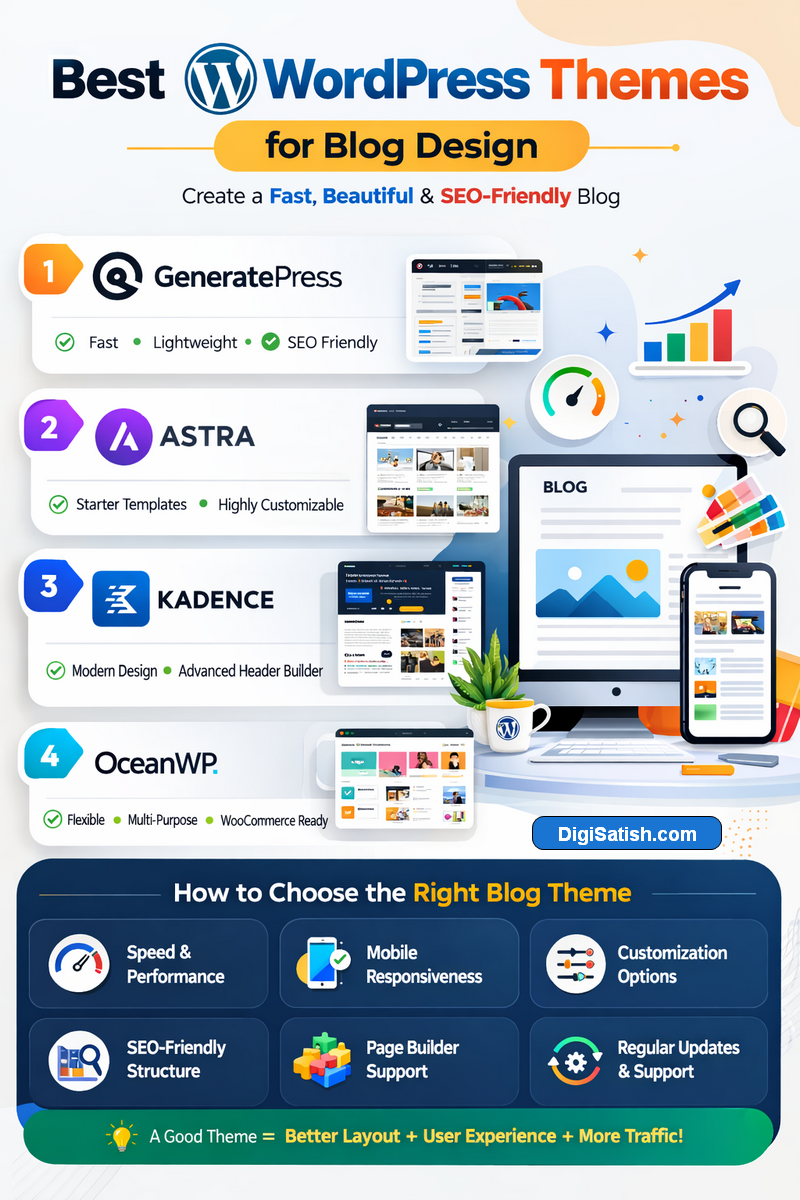
A well-optimized theme also improves blog readability, page speed, and SEO performance. Below are some of the most popular WordPress themes that bloggers often use to create a professional blog design.
1. GeneratePress
GeneratePress is a lightweight and highly customizable WordPress theme that is widely used by bloggers and website owners. It focuses on speed, clean design, and flexibility.
Key features:
- Fast loading performance
- Clean and minimalist blog layout
- Fully responsive design
- Easy customization using the WordPress customizer
GeneratePress is a great choice for beginners who want a simple blog design with strong SEO performance.
2. Astra
Astra is one of the most popular WordPress themes for bloggers and website creators. It offers a large collection of starter templates that help beginners quickly create a professional blog.
Key features:
- Pre-built starter blog templates
- Lightweight and fast loading
- Compatible with page builders like Elementor and Beaver Builder
- Mobile-friendly design
Astra is ideal for beginners who want to create a blog quickly without complex customization.
3. Kadence
Kadence is a modern WordPress theme known for its design flexibility and performance. It provides advanced layout options while remaining beginner-friendly.
Key features:
- Drag-and-drop header and footer builder
- Fast performance and lightweight code
- Customizable blog layout options
- Built-in design controls for typography and colors
Kadence is a good option for bloggers who want more control over their blog’s design without needing coding skills.
4. OceanWP
OceanWP is another versatile WordPress theme that works well for blogs, business websites, and online stores. It offers many customization options and works smoothly with popular page builders.
Key features:
- Highly customizable design options
- Responsive and mobile-friendly layout
- Integration with popular plugins
- Flexible blog page layouts
OceanWP is suitable for bloggers who want advanced design features while keeping their blog layout clean and professional.
How to Choose the Right Blog Theme
When selecting a WordPress theme for your blog, consider these important factors:
- Speed and performance
- Mobile responsiveness
- Customization options
- SEO-friendly structure
- Compatibility with page builders
Choosing a reliable theme can make it easier to design blog pages. It can also improve readability. Lastly, it creates a professional blog layout that attracts readers.
Monetization Strategies for Beginner Bloggers
Designing a blog is only one part of building a successful blogging journey. Ensure your blog layout is clean. Make it easy to navigate and fill it with valuable content.
The next step many bloggers consider is how to start earning from their blog.
If you’re thinking about starting a blog, it’s helpful to understand something. Blog monetization usually comes after you build consistent content.
It also comes after you have traffic. When you start writing helpful articles and publish useful blog posts regularly, your blog grows and begins attracting readers.
Many successful bloggers combine good design, useful blog topics, and consistent writing to build a loyal audience.
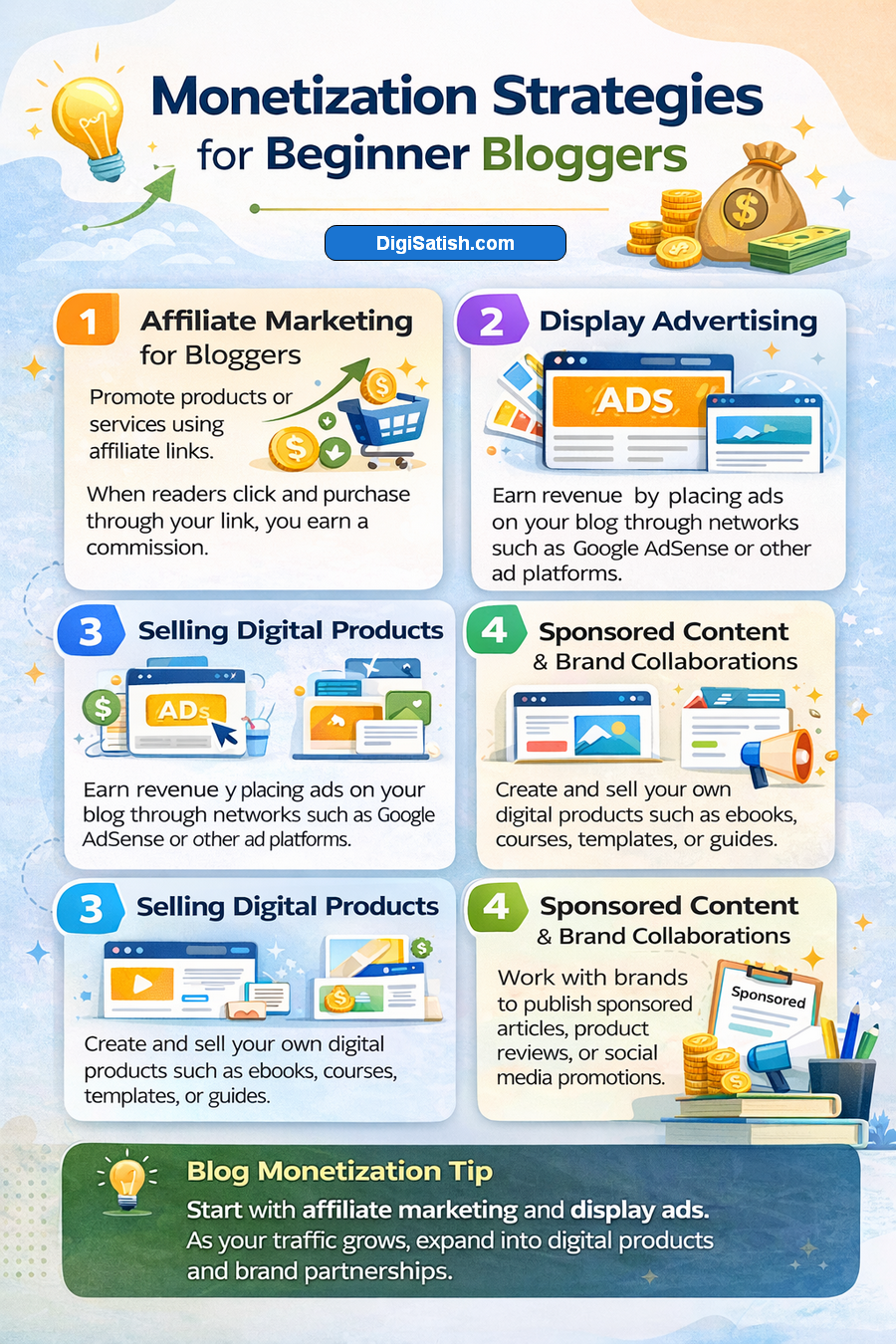
Once your blog has steady traffic, you can explore different ways of making money from your blog.
Some common monetization strategies beginners can consider include:
1. Affiliate Marketing for Bloggers
Affiliate marketing allows bloggers to recommend products or services related to their blog niche. When readers purchase through your affiliate link, you earn a commission.
For example, bloggers often recommend:
- blogging tools
- WordPress themes
- SEO tools
- hosting services
Affiliate marketing works well when you write posts that help readers solve problems.
2. Display Advertising
Another popular method is placing display ads on your blog. Advertising networks place ads on your site, and you earn revenue when visitors view or click those ads.
Some popular advertising platforms include:
- Google AdSense
- Ezoic
- Mediavine
However, it’s important to maintain a good blog layout and avoid cluttering your design with too many ads.
3. Selling Digital Products
Many bloggers eventually create their own digital products once their audience grows. Examples include:
- online courses
- ebooks
- blogging guides
- templates or resources
This strategy works well when you consistently create compelling content to create value for readers.
4. Sponsored Content and Brand Collaborations
As your blog becomes more popular, brands may approach you for sponsored posts. This means companies pay you to review or mention their products in your blog content.
Successful bloggers who love writing and publish consistently often attract sponsorship opportunities over time.
While designing content sections, you can use a word counter tool to keep your blog posts properly structured.
FAQ Section on Blog design tips for beginners 2026
What are the best blog design tips for beginners?
The best blog design tips for beginners include keeping the design simple. Use easy-to-read fonts. Maintain a clean blog layout. Adding enough white space, organizing navigation clearly, and ensuring your blog is mobile-friendly also improve user experience. These simple design practices help readers stay longer and make your blog easier to explore.
How do I design my blog as a beginner?
Beginners can design a blog by first choosing a reliable blogging platform such as WordPress. Next, select a simple and responsive theme, organize your blog layout clearly, and customize fonts, colors, and navigation menus. Focus on readability and user-friendly design so visitors can easily find and enjoy your content.
What makes a successful blog design?
A successful blog design combines a clean layout, readable typography, simple navigation, and mobile responsiveness. It allows visitors to quickly understand your content and move easily between pages. A well-designed blog improves user engagement, supports search engine optimization, and creates a positive experience that encourages readers to return.
What is the best blog layout for beginners?
The best blog layout for beginners includes a simple homepage, a clear navigation menu, and well-structured blog posts. Content should be organized using headings, short paragraphs, and white space. A clean layout helps readers quickly scan the page, understand the content, and navigate different sections of your blog.
Which fonts are best for blog design?
Fonts that are easy to read on screens work best for blog design. Popular choices include Arial, Open Sans, Roboto, and Georgia. Sans-serif fonts are often preferred for digital content because they improve readability. Choosing consistent font sizes and spacing also helps make your blog posts easier to read.
How can I make my blog look professional?
You can make your blog look professional by using a clean layout, consistent colors, and readable fonts. Add high-quality images, organize navigation clearly, and maintain consistent design elements across your pages. A well-structured blog with a simple design and valuable content helps build trust with your readers.
Conclusion: Start Designing Your Blog Today
If you’re thinking about starting a blog, remember that great design doesn’t come from complicated tools or advanced design knowledge.
The most important thing is to pick a design that makes your blog easy to read and enjoyable for visitors.
When I started my blog, I realized that focusing on simple layouts made a huge difference.
Clear navigation helped as well. Using easy to read fonts like sans-serif styles improved how readers interacted with my content.
One important thing about blogging is that design and content work together. When you start writing, your blog’s design should support the experience.
It should make it easy for readers to explore your ideas. Whether you love writing tutorials, sharing insights, or creating helpful guides, a well-organized blog’s design keeps readers engaged.
It encourages them to stay longer and return.
The best advice for beginners is to keep things simple when you design blog pages. Use a clean layout, avoid clutter, and focus on compelling content to create value for your readers.
These blogging tips don’t require advanced skills — they simply require consistency and attention to your readers’ experience.
If you’re just getting started, start by checking your layout, typography, and navigation. From there, you can gradually improve your site using the 10 tips discussed in this guide.
As you start building your blog and writing every day, you will discover what works best. This will help you create the kind of blog you want.
Blogging is a journey. When you continue learning, experimenting with many design improvements, and publishing helpful posts, your blog grows naturally.
As your audience expands, your content improves. Opportunities may arise such as making money from your blog and starting to earn through blogging.
So if you’re thinking about starting, don’t wait for perfection. Begin with a simple design, recommend writing consistently, and focus on creating content that helps your readers.
Over time, you’ll learn how to write a great blog post. You will refine your blog’s appearance. You will build a blog that truly stands out.
Blogging became popular because the internet dramatically changed our lifestyle and communication habits.
If you’re starting your blogging journey, begin with a simple layout. Focus on creating valuable content. Gradually improve your blog design.
Small improvements over time can transform your blog into a professional platform that attracts readers and grows consistently.
Discover more from DigiSatish
Subscribe to get the latest posts sent to your email.