If you’ve been thinking about starting a blog but the technical side feels confusing or overwhelming, you’re not alone. Many beginners delay blogging.
They think building a website is complicated. This belief is especially reinforced. When they search for how to start a blog for beginners, they see so many options.
I’ve been blogging and building WordPress websites for many years. I’ve helped thousands of readers learn SEO, blogging, and website creation through DigiSatish. This guide is for anyone who wants to start a blog and make money online with a simple, beginner-friendly process.
Setting up a blog in 2026 is genuinely easier than it’s ever been. This makes it the perfect time to start a blog from scratch. It’s ideal for beginners who want to begin blogging.
They can build a long-term blogging website. Learn how to start a blog step by step and make money online.
Most hosting providers offer automatic WordPress installation. Modern themes require zero coding.
You can go from “blank screen” to “live blog” in a single afternoon. This is true even if you’re learning how to start a WordPress blog from scratch.
However, the technical setup is actually the easy part. Your niche, platform, and domain name strategy are crucial to your success.
They determine if your blog grows into something meaningful and profitable, or quietly fades after a few months of posts.
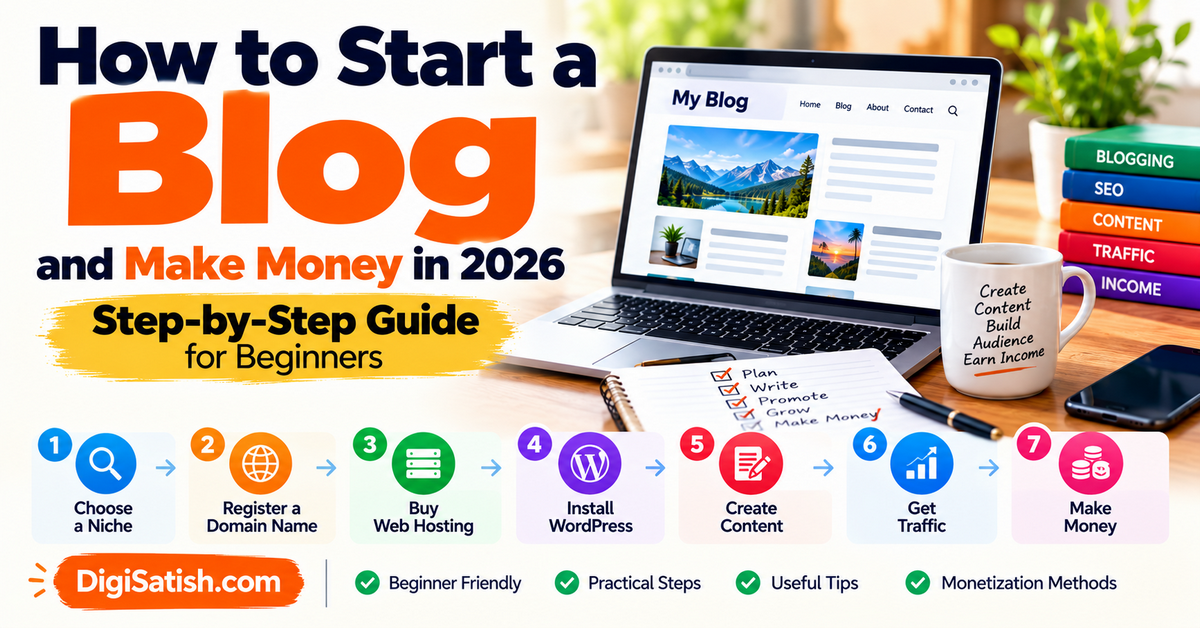
Quick Start Checklist: How to Start a Blog (6 Steps)
Here’s your how to start a blog step by step roadmap—complete in one afternoon:
- Step 1: Choose a profitable niche (5 min validation)
- Step 2: Get domain + Hostinger hosting ($3/month)
- Step 3: One-click WordPress blog install
- Step 4: Install WordPress theme + Rank Math SEO
- Step 5: Add 5 essential plugins (security, speed, backups)
- Step 6: Publish first post + submit to Google
- Total time: 2-3 hours to start a WordPress blog from scratch
- Total cost: ~$40 first year
- Next: Publish weekly + build email list
Perfect for how to start a blog for beginners—no coding required.
With the right tools, anyone can start blogging today.
A clear step-by-step process makes it possible. This is true even if this is your first time learning how to start a blog.
This guide shows you exactly how to start a blog from scratch, step-by-step. It helps you build a successful blogging website.
This is achievable even if you are a complete beginner who is looking for practical blogging tips.
What is a blog?
A blog is a website where you regularly publish content on a specific topic. Examples include technology, finance, travel, food, fitness, or how to start a blog topics. Unlike static websites, blogs feature dated posts that readers can comment on, share, and return to for updates.
Key blog features:
- Reverse chronological order (newest posts first)
- Categories/tags for easy navigation
- Comments section for reader engagement
- RSS feed for subscribers
- Search functionality
Why blogs work: People start blogs to share expertise. They solve problems, build authority, and connect with readers. People can start a blog and make money online through ads, affiliates, or products.
Why start a blog in 2026?
Perfect timing to start a blog step by step—here’s why 2026 is ideal:
- One-click WordPress setup (2 minutes vs. weeks)
- AI tools write outlines, suggest keywords
- Free SEO plugins (Rank Math) beat $500 agencies
- Lightning-fast hosting ($3/month vs. $100+ servers)
- Mobile-first themes convert 3x better
- Affiliate programs pay 30-75% commissions
- Real results: Beginners earn $1K/month within 6-12 months using WordPress blogging for beginners strategies. Google still rewards helpful content over algorithms.
- Bottom line: How to start a WordPress blog from scratch takes 1 afternoon. Blogging for beginners to make money works when you publish consistently.
Before You Start a Blog: What Kind of Blog Are You Building?
When learning how to start a blog for beginners, spend five minutes answering this question before anything else. The answer shapes every decision that follows when you build a profitable blogging website.
There are three distinct types of blogs, and each has a different setup priority:
- The Personal Brand Blog – You are the brand. Your name, your expertise, your voice. Common in coaching, consulting, speaking, journalism, and creative fields. Ideal setup: personal domain (yourname.com), clean professional theme, strong About page. This is perfect if you want to start a blog and earn money online through services or speaking engagements.
- The Niche Authority Blog – Built around a specific topic rather than a person. “BudgetTravelIndia.com” rather than “JohnSmith.com.” This type scales more easily. It is easier to monetize through SEO. Over time, it can be sold as a business asset. Choose this option if you want to start a blog gradually. This will help you rank for niche keywords over the long term.
- The Business or Portfolio Blog – A content arm attached to an existing business or freelance portfolio. The blog supports a broader commercial goal: generating leads, showcasing expertise, or ranking for product-related keywords. Great for those learning how to start a WordPress blog to drive clients and sales.
Knowing which type you’re building helps you choose your domain name. It also guides you to select the right theme aesthetic. Furthermore, it allows you to prioritise your first pieces of content so you can start blogging today with confidence.
How to Start a Blog from Scratch for beginners in 2026 (Step by Step Guide)
This complete beginner’s guide shows you how to start a blog from scratch with zero experience. Follow these exact steps to go from blank screen to live WordPress blog in one afternoon.
No coding needed—just hosting ($3/month), domain ($12/year), and this checklist. Start blogging today and build a profitable online business.
Step 1: Choose and Validate Your Blog Niche
Before you touch any technical setup, ensure you know what your blog will be about. Understand who it is for.
Why Choosing the Right Blog Niche Matters
Choosing the right niche determines:
- Your content strategy
- Your SEO keyword opportunities
- Your monetization potential
- Your audience growth
- Your long-term blog success
It also impacts your ability to start a successful blog that attracts search traffic and loyal readers. Getting it right now saves months of backtracking later.
What Makes a Strong Blog Niche?
Your genuine interest or expertise – You’re going to write dozens, eventually hundreds, of posts on this subject. If you’re not genuinely invested, burnout can arrive quickly. You don’t need to be the world’s leading authority — but you should have real knowledge, curiosity, or lived experience.
- Active audience demand: There needs to be real people searching for information on this topic online. Verify with free tools: Type your topic into Google and review the “People Also Ask” suggestions. Use Ubersuggest or Google Keyword Planner to check monthly search volumes.
- Monetization potential: Not every passion translates into a profitable blog. Before committing, ask: Are there affiliate programs in this space? Do brands advertise in this niche? Are there digital products or services your audience might buy?
Niche vs. Micro-Niche: Which Should You Choose?
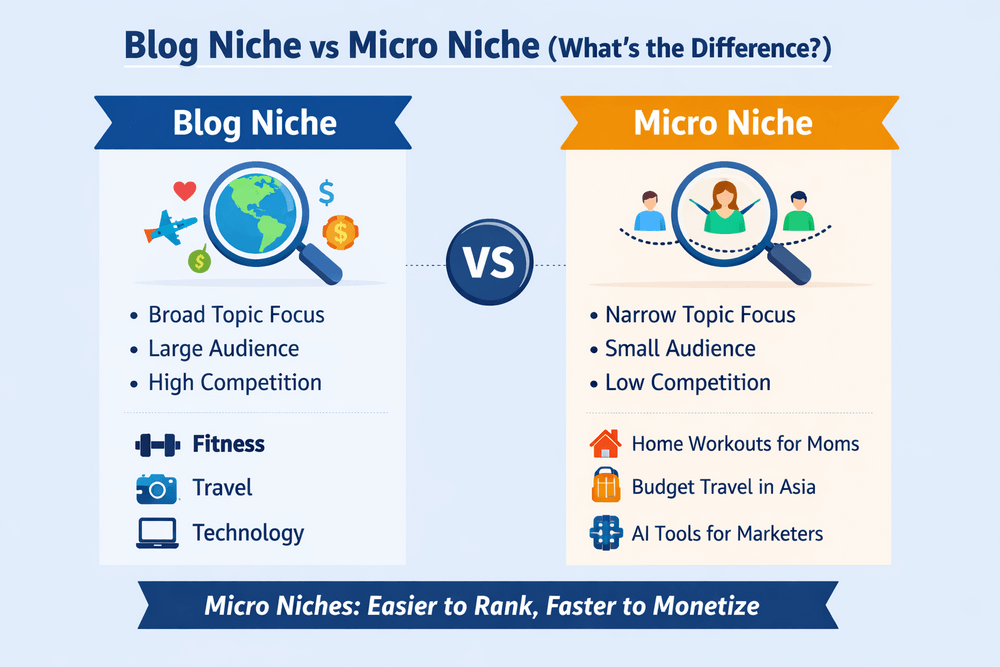
A niche is a defined topic category, such as fitness, personal finance, or travel.
A micro-niche goes two levels deeper. It includes postpartum fitness for new moms in their 30s. It also covers personal finance for salaried employees in India. Additionally, it involves budget backpacking for solo women in Southeast Asia.
For new blogs, a micro-niche is almost always the smarter starting point:
- You face significantly less competition from established, high-authority sites
- Your content speaks directly to one specific person, making it more relatable and rankable
- Google can more easily decide what your site is “about,” which accelerates rankings
- Readers feel understood, which builds loyalty and returns faster
You can always expand later. Dominate a small corner of the internet first, then grow outward.w outward.
Niche Validation Checklist
Before registering your domain, run your niche idea through this quick validation:
- Google your main topic: Are there established blogs, brand websites, and forum threads? That’s a positive sign of genuine demand.
- Check Google Trends: Go to trends.google.com and look for stable or upward-trending interest over the past 5 years.
- Brainstorm 50 post ideas: If ideas flow easily past 50, you have a strong content runway. If you struggle to reach 20, the niche may be too narrow.
- Confirm monetization pathways: Search “[your niche] affiliate programs” and “[your niche] sponsored content.”
If you’re still working through your niche selection, our guide provides a comprehensive walk through the framework. We cover the full process step-by-step.
Step 2: Choose the Best Blogging Platform
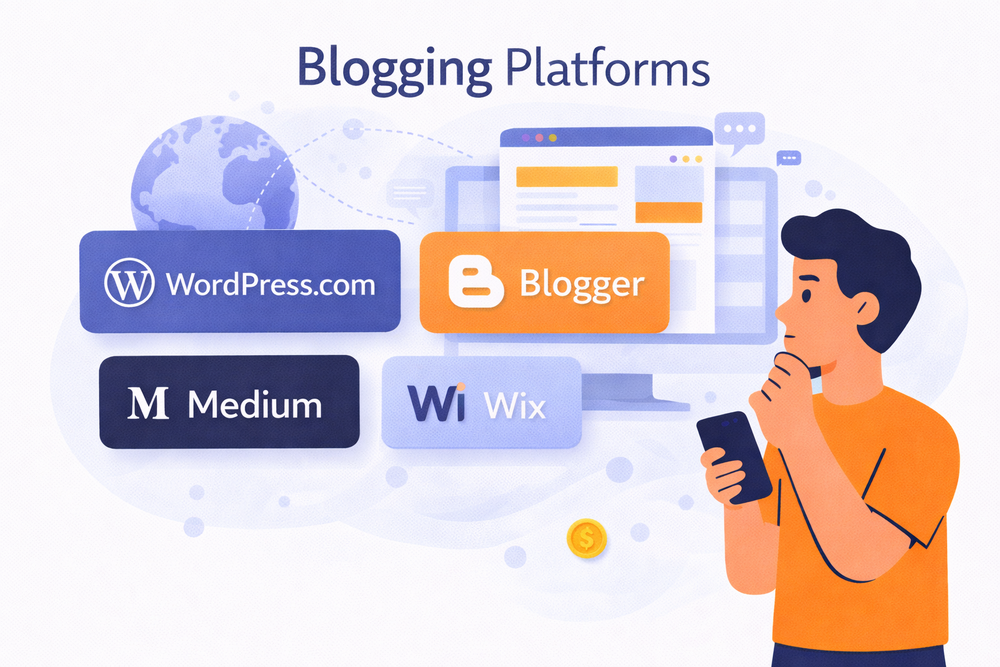
The platform you choose is crucial when learning how to start a WordPress blog. It is also important to find the best blogging platform for beginners. This affects SEO, design, monetization, and scalability when you create a blog on WordPress.
Two Types of Platforms
There are two fundamental types of blogging platforms:
- Self-hosted platforms – You install the software on your own hosting account. You own everything: your content, your data, your design, and your monetization options. WordPress.org is the dominant example and the clear winner for anyone serious about starting a WordPress blog professionally.
- Hosted platforms – The platform company manages the infrastructure for you. You log in, write, and publish, but they control the environment and can change terms. WordPress.com, Wix, Squarespace, Blogger, Medium, and Substack all fall here.
WordPress.org (Self-Hosted) – The Professional’s Choice
WordPress.org is the gold standard for serious bloggers. It is the ideal platform for bloggers who want to start a WordPress blog and build a scalable blogging website. When you are figuring out how to start a blog, step by step.
The platform you build on is a crucial decision. You make this decision when learning how to start a blog for beginners or create a WordPress blog.
It powers over 43% of all websites and gives you:
- Complete ownership of your content and data
- Access to 60,000+ plugins that extend functionality
- Thousands of free and premium themes
- Full SEO control (title tags, meta descriptions, schema markup, sitemaps)
- Unlimited monetization: ads, affiliates, digital products, memberships, e-commerce
- Complete design customization with page builders like Elementor
- Massive global community and support resources
What it requires:
- Small investment: hosting (~$3-10/month) + domain (~$10-15/year)
- Slightly more initial setup than plug-and-play platforms
- You manage updates/security (plugins handle most automatically)
Verdict: For anyone serious about growing traffic, building an audience, and earning money, WordPress.org is the right choice when you want to start a WordPress blog that lasts.
WordPress.com – The Hosted Compromise
WordPress.com manages everything for you, but in exchange, you give up control. The free plan offers a WordPress.com subdomain, limited storage, and no custom plugins. Additionally, WordPress.com displays ads on your site without compensation.
You’re paying $25/month for their Business plan to unlock plugins. At that point, you could pay $10/month for self-hosted WordPress. This option offers far more flexibility.
Use WordPress.com if: You want zero technical responsibility and are comfortable with a hobbyist-level platform.
Other Platforms Worth Knowing
- Blogger – Google’s free platform. Suitable for absolute beginners with zero budget. However, it is technologically stagnant. It offers almost no control over SEO or design flexibility.
- Medium – Beautiful writing experience, zero technical setup, instant access to Medium’s reader base. But you don’t own the platform, can’t build an independent email list, and SEO benefits go to Medium’s domain.
- Substack – Purpose-built for email newsletters with a blog-style public presence. Strong for email-first creators and newsletter writers.
- WordPress.com: $25/month for plugins—get self-hosted instead.
- Wix/Squarespace: Great design, poor SEO/migration.
- Medium/Substack: No ownership.
Verdict: WordPress.org scales to 1M+ visitors. Perfect when you want to start a WordPress blog that lasts.
See our detailed comparison:
- Best Blogging Platforms
- Blog Niche Ideas for Beginners
- Best WordPress Themes for Blogging
- How to Write SEO Blog Posts
- Blog Monetization Methods
- How to Grow Blog Traffic
Step 3: Choose and Register Your Domain Name
Your domain is your blog’s permanent address—critical when learning how to start a blog from scratch. Hard to change later.
Domain Rules (Keep It Simple)
- Short: Under 15 characters (2-3 words max)
- Easy to spell/say: Test by saying aloud
- No numbers/hyphens: Avoids confusion
- .com first: Most trusted globally
- Brand-relevant: Hints at your niche
- Future-proof: Room to grow
Where to Buy
- Best for beginners: Through a hosting provider (free 1st year with Hostinger/SiteGround)
- Alternatives: Namecheap, GoDaddy, Domains-finder.com, and Squarespace Domains
- Cost: $10-15/year (.com)
If Taken, Add “blog”/your name, try .co/.blog, use Nameboy generator, check if parked.
Pro tip: Register through hosting = 1 less login to manage. Done in 2 minutes.
Domain Registration: Where to Register
Through your hosting provider (recommended for beginners): Most web hosts offer a free domain for the first year. They provide this when you purchase a hosting plan. This simplifies setup since your domain and hosting are managed in the same place.
Through an independent registrar:
- Namecheap – Transparent pricing, good interface, often cheaper renewals
- GoDaddy – Largest registrar globally, frequent promotions, can be aggressive with upsells
- Google Domains (now Squarespace Domains) – Clean, no upsells, competitive pricing
- Domains-Finder.com: To check and register your domain name within minutes.
Domain pricing: Expect $10-15/year for a .com. Check both renewal pricing and introductory pricing — some registrars offer very low initial rates but significantly higher renewal rates.
What to Do If Your Domain Is Taken
- Try variations with added words (blog, HQ, guide, tips, hub)
- Try your name + niche combination
- Consider whether a .in (India) extension makes sense for your target audience.
- Use a domain name generator (Nameboy, Lean Domain Search, Domains-Finder.com, and Panabee)
- Check if the domain is parked — parked domains can sometimes be purchased from the owner
Step 4: Choose the Best Web Hosting for Your Blog
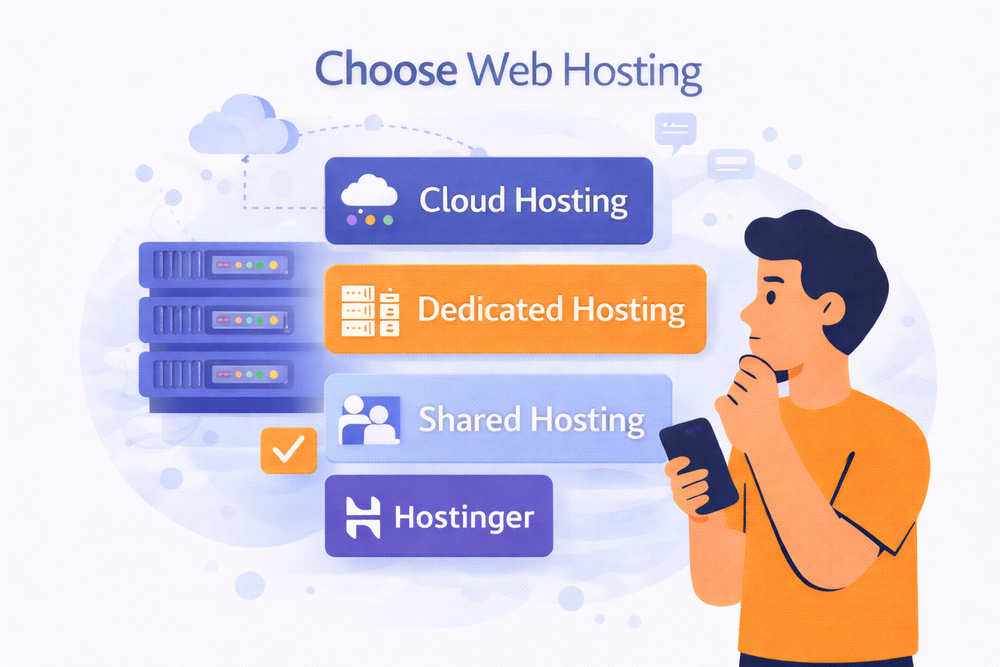
Web hosting stores your blog’s files and makes your blogging website accessible online 24/7. If you’re wondering about the cost of starting a blog, expect $3-10/month for quality shared hosting. You should also budget $10 -$15 per year for a domain. This totals under $60 for your first year.
Types of Hosting: What You Actually Need
- Shared Hosting (Recommended) – Perfect for new blogs. Affordable ($2-10/month) with everything needed. Upgrade later when traffic grows.
- Hostinger (Best Value) – Under $3/month promotional. Includes a free domain, SSL, backups, one-click WordPress installation, and 100GB storage.
- SiteGround (Best Support) – $6-8/month. Award-winning support, daily backups, SuperCacher for speed.
Hosting providers are well-known for promotional pricing that looks dramatically different at renewal. If you are wondering about the cost to start a blog, focus on the total first‑year cost. Do not just consider the teaser monthly rate.
What to Look For in Any Hosting Plan
Before signing up, verify your plan includes:
- Free SSL certificate – Makes your site https://, required for user trust and a Google ranking signal
- One-click WordPress installation – Eliminates the manual process entirely
- Automatic backups – Daily backups with one-click restore. Non-negotiable.
- 99.9% uptime guarantee – Your site should be live and accessible essentially all the time
- 24/7 live chat support – Email-only support is inadequate when something breaks at midnight
- Free CDN integration – Dramatically improves loading speeds for visitors worldwide
Understanding Hosting Pricing: The Real Costs
Hosting providers are well-known for promotional pricing that looks dramatically different at renewal.
- Introductory rate: The price advertised. Typically requires a commitment of 1-3 years.
- Renewal rate: What you’ll actually pay when your initial term ends. Can be 2-4x the introductory rate.
- Our advice: Sign up for 1-2 years initially. Long enough to benefit from promotional pricing, short enough to switch providers if needed.
Step 5: Install WordPress (WordPress Blog Setup)
With your hosting account set up and your domain connected, installing WordPress is now effortless. It is easier than ever to start blogging today with your own website.
Step 1: One-Click Installation (The Standard Approach)
WordPress blogging for beginners starts with a one-click installation. Every recommended host offers this. Every recommended hosting provider offers one-click WordPress installation through their dashboard.
On Hostinger (hPanel):
- Log in to your hPanel at hpanel.hostinger.com
- Click “WordPress” in the main menu
- Click “Install WordPress”
- Select your domain from the dropdown
- Choose your WordPress admin username and a strong password (write these down)
- Select your language
- Click “Install”
- Wait 1-3 minutes for completion
- Check your email for confirmation with your WordPress dashboard URL
Step 2: Accessing Your WordPress Dashboard
After installation, access your blog’s control centre at:
yourdomain.com/wp-admin
Bookmark this URL. Your WordPress dashboard contains:
- Posts – Write and manage blog posts
- Pages – Create static pages (E.g., About, Contact).
- Appearance – Manage themes and menu.s
- Plugins – Install and manage plugins
- Settings – Site-wide configuration options
Step 6: Choose and Install Your Theme
Your theme is the design framework that controls your blog’s layout and the overall experience for readers visiting your blog. It also significantly impacts your page loading speed and SEO performance.
What Matters Most
New bloggers often choose themes based on their visual appeal. Experienced bloggers choose themes based on performance. Here’s what genuinely matters:
- Speed: Every second slower = 7% fewer conversions
- Mobile: 60%+ traffic is mobile
- SEO: Clean code Google loves
- Active updates: Avoid security risks
Top 3 Best WordPress Themes for New Bloggers in 2026
For WordPress blog setup, pick speed-optimized themes:
- Astra – Fastest (under 50KB), works with Elementor
- GeneratePress – SEO favorite, loads in <1 second
- Kadence – Best beginner balance
WordPress Theme installation
- Appearance → Themes → Add New
- Search “Astra” → Install → Activate
- Import starter template (one-click)
- Customize: Logo, colors, menu (Appearance → Customize)
Importing a Starter Template:
Most quality themes offer one-click starter templates — pre-built designs you can import immediately. This gives you a professional-looking blog to customise, rather than starting from a blank canvas.
Once your theme is installed, follow these practical blog design tips for beginners to keep your layout clean, readable, and mobile-friendly.
Result: Professional blog in 5 minutes, no coding needed to start blogging with WordPress.
Step 7: Install and Configure Essential Plugins
Plugins extend WordPress’s functionality and help beginners create a blog with advanced features without needing to code. With 60,000+ available, the temptation is to install many. Resist this.
Every active plugin adds code that runs on every page load. Too many plugins — especially poorly coded ones — can slow your site, create security vulnerabilities, and cause compatibility issues.
Goal: A lean, purposeful plugin stack where each plugin earns its place.
| Plugin Category | Recommended Plugin | Key Features | Cost | Why You Need It |
|---|---|---|---|---|
| SEO | Rank Math (Free) | SEO score per post, XML sitemaps, schema markup, Google Search Console integration, 404 monitoring, breadcrumbs | Free | Most complete free SEO plugin for WordPress blogging for beginners |
| Speed/Caching | LiteSpeed Cache (Free) WP Rocket ($59/year) | Page caching, WebP conversion, lazy loading, CSS/JS minification | Free/Paid | Makes your WordPress blog setup load 2-3x faster |
| Security | Wordfence (Free) | Firewall, malware scanner, brute force protection, 2FA | Free | Protects your new blog from hackers day one |
| Backups | UpdraftPlus (Free) | Daily auto backups to Google Drive/Dropbox, one-click restore | Free | Saves you if hosting fails or plugins break |
| Contact Forms | WPForms Lite (Free) | Drag-drop forms, reCAPTCHA spam protection, email notifications | Free | Professional Contact page without coding |
| Image Optimization | Smush (Free) ShortPixel (100 free/mo) | Auto compression, bulk optimize, WebP conversion | Free | Cuts image size 50-70% to start blogging with WordPress faster |
| Spam Protection | Akismet (Free personal) | Auto spam comment filtering | Free* | Stops 99% of comment spam (*paid for monetized sites) |
Installation Priority (do these first):
- Rank Math → Speed plugin → Wordfence → UpdraftPlus
- Test site speed after each install
- Total time: 15 minutes to make your blog professional and secure
This lean stack gives you everything needed to start a WordPress blog from scratch without bloat or conflicts.
Plugin Management Best Practices
- Keep all plugins updated. Plugin updates often include critical security patches. Check Dashboard > Updates regularly or enable auto-updates for security plugins.
- Deactivate and delete unused plugins. An inactive plugin is still a potential security vulnerability. If you’re not using it, delete it entirely.
- Audit your plugins every 3 months. Ask: Is this still actively maintained? Is there a better alternative? Is it actually being used?
- Never install multiple plugins that do the same job. Two caching plugins, two SEO plugins, or two security plugins conflict with each other and cause problems.
Step 8: Create Your Essential Pages
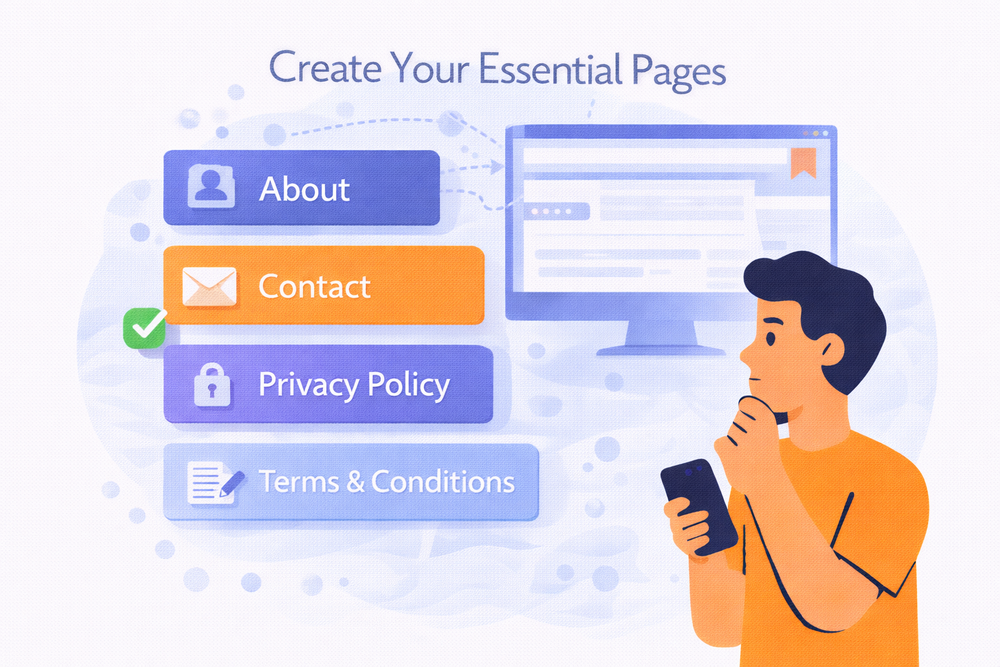
Before publishing a single blog post, you need four foundational pages.
These aren’t optional — they’re the infrastructure that makes your blog function professionally, builds reader trust, and satisfies legal requirements.
About Page
The About page is typically the second most-visited page on many blogs after the homepage. When a reader discovers your content, they connect with it. The first thing they do is click to find out who wrote it.
Your About page does several jobs simultaneously:
- Building personal connection and trust with new readers
- Communicating the blog’s purpose and who it serves
- Differentiating your blog from the thousands of others in your niche
- Convincing readers to subscribe, follow, and return
What a strong About page includes:
- Your story – Not your full biography, but the relevant narrative. Why did you start this blog? What problem were you trying to solve? What moment brought you here? Stories create emotional connection in a way that credentials alone never can.
- Who you serve – Be explicit. “This blog is for working professionals in their 30s. They want to build financial independence. They do not want to sacrifice the life they have now.” Specificity makes readers feel seen and understood.
- What they’ll find here – The topics you cover, the problems you help solve, the transformation your content offers.
- A call to action – Invite readers to subscribe to your email list. Ask them to follow you on social media. You can also encourage them to read a specific foundational post. Don’t let readers leave the About page with nothing to do next.
- A photo (strongly recommended) – Readers connect with people. A professional-looking photo builds far more trust than an anonymous blog. Even just good lighting and a clean background can create this trust.
a. Contact Page – Making Yourself Reachable
Your Contact page helps you to making yourself reachable and serves two audiences:
- Readers who have questions, feedback, or want to connect personally
- Brands, PR agencies, and collaborators who want to discuss sponsorships, partnerships, or guest posting opportunities
As your blog grows, sponsorship inquiries and collaboration offers almost always arrive through your contact form. A missing or buried contact page means missed income opportunities.
What to include:
- A simple WPForms Lite form with name, email, subject, and message fields
- Optional subject dropdown: “General Inquiry,” “Sponsorship/Collaboration,” “Technical Issue.ue”
- Your response time policy: “I aim to respond within 48 business hours.urs”
- Links to your social media profiles
b. Privacy Policy – A Legal Requirement
If your blog collects any user data — and it does. Once you install Google Analytics or add an email subscription form, you must have a Privacy Policy in Place. This applies under GDPR (European Union), CCPA (California), India’s Personal Data Protection Bill, and other regional privacy regulations.
Your Privacy Policy must disclose:
- What data do you collect (names, email addresses, IP addresses through analytics)
- How you collect it (contact forms, analytics, cookies, email subscriptions)
- Why do you collect it (communications, analytics, improving user experience)
- Whether you share data with third parties (Google, email marketing platforms)
- How users can request the deletion of their data
- Your contact information for privacy-related requests
The easiest approach:
- Termly (termly.io) – Creates comprehensive, jurisdiction-aware privacy policies. The free plan generates a suitable policy. Integrates with your site via a script that keeps the policy up to date as laws change.
- iubenda (iubenda.com) – Another strong option with a free tier.
- WordPress built-in generator – Go to Settings > Privacy. WordPress provides a starter template. Less comprehensive than Termly but sufficient for many new blogs.
- Once generated, create a new WordPress Page, paste the policy content, publish it, and link to it in your footer.
c. Disclaimer Page – Essential for Monetised Blogs
You need a Disclaimer page if you plan to use affiliate links. It is also necessary if you display sponsored content. Additionally, it is required when writing about health, finance, or legal topics. It protects you legally. It also helps maintain reader trust.
What to include:
- Affiliate disclosure: “This blog contains affiliate links. I may earn a small commission if you purchase through these links at no additional cost to you. I only recommend products I genuinely use or have thoroughly researched.”
- Earnings disclaimer (if discussing income online): “Results mentioned on this blog are not guaranteed. Individual results will vary based on effort, experience, and many other factors.”
- Professional advice disclaimer (for health, finance, or legal blogs): “Content on this blog is for informational purposes only. It does not constitute professional medical, financial, or legal advice. Always consult a qualified professional before making important decisions.”
Additional Recommended Pages
- Resources Page: A curated list of tools, products, and services you recommend with your honest assessment of each. This becomes a significant source of affiliate income as your traffic grows. Start building it early, even with just a handful of trusted recommendations.
- Start Here Page: A guided introduction for new visitors, directing them to your most important content in a logical order. Often, a high-retention page is used because it immediately orients new readers who are unsure of where to start.
Step 9: Set Up Google Search Console and Google Analytics

These two free Google tools are non-negotiable. Install them before your first post is published. The data they collect from day one becomes invaluable as your blog develops.
A. Google Search Console
Google Search Console shows you:
- Which search queries are bringing visitors to your blog, and at what position
- Which pages are indexed in Google’s search results
- Technical issues affecting your site’s crawlability and indexing
- Your Core Web Vitals scores (page experience signals)
- Backlinks pointing to your site from other websites
- Coverage errors (pages not being indexed and the reason why)
Setting up Google Search Console:
- Go to search.google.com/search-console
- Click “Add property.”
- Choose “Domain” property type and enter your domain
- Verify ownership — the easiest method:
- DNS verification (recommended): Add a TXT record to your domain’s DNS settings. Your hosting provider’s live chat can assist if this is unclear.
- HTML tag: Rank Math and Yoast SEO have fields for this under their general settings
- Once verified, submit your XML sitemap: In Search Console, navigate to Sitemaps, enter your sitemap URL, and then submit. Your sitemap is typically yourdomain.com/sitemap.xml (Rank Math generates this automatically)
What to check regularly:
- Performance report: which queries and pages earn clicks
- Coverage report: any indexing errors to investigate
- Core Web Vitals: page experience scores across mobile and desktop
B. Google Analytics 4
GA4 shows you:
- How many people visit your site daily, weekly, and monthly
- Where they come from (Google search, social media, direct, referrals)
- Which pages they read and how long they stay
- Their devices, location, and language
- Your bounce rate and engagement rate
- User behaviour flows through your site
Setting up Google Analytics 4:
- Go to analytics.google.com
- Click “Admin” > “Create Property.”
- Name your property, set your timezone, and currency
- Select “Web” as your platform and enter your domain
- Copy your Measurement ID (format: G-XXXXXXXXXX)
Connecting GA4 to WordPress:
Easiest method — through Rank Math:
- Go to Rank Math SEO > General Settings > Analytics
- Click “Connect Google Services”
- Follow the authorisation process
- GA4 will be tracking within minutes
Alternative: Install “Site Kit by Google.” It’s Google’s official WordPress plugin. The plugin connects GA4, Search Console, and other Google tools in one place.
Setting up your website is only the first step; maintaining a consistent publishing schedule requires the best writing apps to draft, edit, and organize your ideas.
Step 10: Configure Your SEO Plugin Thoroughly
With Rank Math installed, run through the full setup wizard before publishing any content. Proper beginning configuration prevents common SEO mistakes that are painful to fix retroactively.
Key Settings to Configure in Rank Math
- Titles & Meta: Configure your title format for posts: %title% | %sitename% (e.g., “How to Start a Blog | DigiSatish.com”). This format is clean, includes your primary keyword, and reinforces your brand name in every search result.
- Links (General Settings > Links): Enable “Open External Links in New Tab.” This feature keeps readers on your site. It activates when they click outbound links.
- Sitemap: Verify your XML sitemap is enabled at yourdomain.com/sitemap.xml. Check that all post types you want indexed are included.
- Schema: Enable Article schema for blog posts. This adds structured data. It helps Google understand the type of content. This makes your posts eligible for rich snippet features in search results.
- 404 Monitor: Enable the 404 Monitor to track any pages returning “not found” errors. Fix these promptly with redirects.
Step 11: Set Up Email Marketing From Day One
The most frequent regret that bloggers express is not building their email list from the start. Every week without an email opt-in is a potential loss of subscribers.
Choosing Your Platform
- ConvertKit (Free up to 1,000 subscribers) – Recommended: Built specifically for content creators. Superior automation, tagging, and segmentation. Best suited for creators who plan to sell products, email sequences, or build a multi-segment audience.
- Mailchimp (Free up to 500 subscribers): The most widely known platform. Slightly simpler interface with a lower learning curve. Good starting point for straightforward email newsletters.
- MailerLite (Free up to 1,000 subscribers): Generous free tier, clean interface, strong landing page builder. An excellent alternative if you want more design control at no additional cost.
Getting Started in 20 Minutes
- Create a free account on ConvertKit or Mailchimp
- Create your first email opt-in form
- Connect it to WordPress via the platform’s official plugin
- Create a basic lead magnet — even a simple PDF checklist works perfectly
- Write your welcome email to deliver the lead magnet and introduce yourself
Where to place your opt-in forms:
- After the conclusion of every blog post
- In your site sidebar
- As a timed pop-up (after 30-60 seconds on page — not immediately on load)
- On a dedicated landing page linked from your social media bios
Full email list building strategy:
Step 12: Optimise Site Speed Before Publishing
Site speed is a confirmed Google ranking factor and directly affects how long readers stay on your blog.
Run your site through Google’s PageSpeed Insights (pagespeed.web.dev) before publishing content. Aim for a score of 80 or higher on both mobile and desktop.
Speed Optimisation Checklist
- Enable caching: Activate LiteSpeed Cache or WP Rocket. Default settings handle most optimisation automatically.
- Optimise images: Install and activate Smush or ShortPixel. Enable automatic compression on upload.
- Use a CDN – Most hosting providers include Cloudflare CDN integration for free. Enable it in your hosting dashboard.
- Remove unused plugins: Every unnecessary active plugin adds to page load time. Delete what you’re not using.
- Choose a lightweight theme: Astra, GeneratePress, and Kadence are all optimised for speed.
- Enable lazy loading: Images only load when readers scroll to them, significantly reducing the initial page load. LiteSpeed Cache enables this automatically.
- Minify CSS and JavaScript: Caching plugins handle this during configuration setup.
Step 13: Write and Publish Your First Blog Post
Your blog is technically ready, which means you are officially ready to start blogging and publish your first post. The final step is the most important one: publish something.
Your first post doesn’t need to be your best work — it just needs to exist. The act of publishing is what distinguishes bloggers from those who merely discuss blogging.
Once your site setup is finished, follow this detailed guide on how to write a blog post that ranks on Google to start driving organic traffic from day one.
Apply these blogging tips for beginners: Write what you know confidently. Publish something today—perfection kills momentum.
Choosing Your First Post Topic
Your first post should be something you can write with genuine confidence. Options:
- A comprehensive “how-to” guide on a topic you know well in your niche. These perform well in search and demonstrate your expertise immediately.
- A problem-solution post addressing a specific pain point your audience experiences. “Why I struggled with X and what finally worked for me” is relatable and builds subscriber connection.
- A pillar post on your blog’s main topic. If your blog focuses on personal finance, start with “The Complete Beginner’s Guide to Personal Finance in India.” This statement establishes your authority.
Writing in the WordPress Block Editor
WordPress uses a block-based editor (Gutenberg) where each element is a separate “block.” Key blocks you’ll use constantly:
- Paragraph block – Standard body text
- Heading block – For H2 and H3 subheadings (use the level dropdown)
- List block – For bullet and numbered lists
- Image block – For photos and graphics
- Quote block – For pull quotes
- Table block – For simple comparison tables
Before publishing, complete the settings in the right sidebar:
- Categories and Tags – Organise your post by topic
- Featured image – The thumbnail for your homepage and social shares
- Excerpt – A 1-2 sentence summary of the post
- SEO settings – Through Rank Math’s panel at the bottom of the editor, fill in your target keyword, SEO title, and meta description
By following these steps, you now know how to start a blog step-by-step. You have also built a strong foundation for a successful blogging website.
Beginner blogging tips for your first post:
- Solve a specific problem your niche audience faces
- Use conversational tone (like you’re helping a friend)
- Add one visual (screenshot, simple image)
Pro Tip: When starting a blog, focus on publishing 10–15 high-quality articles during the first three months. This helps Google understand your site’s topic and increases the likelihood of faster ranking.
How Do Blogs Make Money?
Many beginners wonder how to start a blog. They also question whether blogging for beginners to make money is realistic.
Many beginners start a blog as a creative project. However, blogs can also become powerful online businesses. This is especially true if you are learning how to start a blog and earn money from day one.
Yes—here’s how:
- Affiliate marketing: Promoting products and earning commissions. 60% of bloggers’ income
- Display ads (AdSense, Mediavine): Earning revenue from ad networks like Google AdSense. Starts at 10k pageviews/month
- Selling digital products: Courses, ebooks, templates
- Sponsored content: working with brands. $100-$10k+ per post
- Freelance services: consulting or coaching
Many successful bloggers turn their blogs into full-time income streams online.
Your Complete Blog Launch Checklist
Use this as your final verification before considering your blog officially live.
Platform and Hosting
- Niche confirmed and validated
- Domain name registered (short, memorable, .com preferred)
- Hosting plan purchased (Hostinger, SiteGround, or Bluehost)
- WordPress installed via one-click installer
- Permalink structure set to “Post name” (Settings > Permalinks)
- Site title and tagline set (Settings > General)
- Timezone configured correctly
- Default “Hello World” post and “Sample Page” deleted
Design and Theme
- Theme installed and activated (Astra, GeneratePress, or Kadence)
- Starter template imported (if using one)
- Logo uploaded or site title configured in Customizer
- Primary brand colour set
- Typography chosen and configured
- Navigation menu created with: About, Blog, Contact
- Footer configured with copyright and privacy policy link
- Site tested on a mobile device
WordPress Plugins
(all installed and configured)
- Rank Math SEO: setup wizard complete, sitemap active, Google connected
- LiteSpeed Cache or WP Rocket: caching active and configured
- Wordfence: firewall active, two-factor authentication enabled on admin account
- UpdraftPlus: backup schedule set, remote storage connected, first backup run
- WPForms Lite: installed
- Smush or ShortPixel: auto-optimisation enabled
- Akismet – activated (if enabling comments)
Essential Pages
- About page: with your story, who you serve, and a CTA
- Contact page: with a working WPForms form
- Privacy Policy: generated, published, linked in footer
- Disclaimer: published (essential if monetizing)
Analytics and SEO
- Google Search Console: property verified, sitemap submitted
- Google Analytics 4: connected and tracking confirmed active
- Rank Math configured: schema enabled, title format set, XML sitemap confirmed at yourdomain.com/sitemap_index.xml
Email Marketing
- Email marketing account created (ConvertKit or Mailchimp)
- First opt-in form created
- Form embedded below posts and in the sidebar
- Lead magnet created (even a basic checklist)
- Welcome email written and activated
Speed
- PageSpeed Insights score checked on both mobile and desktop (target: 80+)
- The caching plugin is active and configured
- Images compressed and auto-optimisation enabled
- CDN is enabled through the hosting provider or Cloudflare
- Lazy loading enabled
Content
- First blog post written and published
- Post has a keyword-optimised title and meta description
- Post has a featured image
- At least one internal link included
- Post shared on at least one social media platform
Common Setup Mistakes to Avoid
Using WordPress.com instead of WordPress.org. They look similar but are fundamentally different products. Self-hosted WordPress.org is what you want.
- Skipping the permalink structure step: Default WordPress URLs are terrible for SEO. Set “Post name” permalinks immediately after installation, before publishing anything. This is the one setting that’s genuinely painful to change retroactively.
- Installing too many plugins: More than 15-20 active plugins is a warning sign. Audit ruthlessly — every plugin needs to earn its place.
- Choosing a slow, feature-heavy theme: Themes with full-page animations and complex sliders are performance killers. Start with Astra, GeneratePress, or Kadence.
- Not configuring backups before adding content: Your first backup should happen before you publish your first post. Not after something goes wrong.
- Registering a domain, you’ll regret: Take the time to choose properly. The domain is extremely difficult to change once your content is indexed and you have backlinks.
- Waiting for perfection before launching: Your blog doesn’t need to be perfect to be live. It needs to be functional with at least a few quality posts. Ship it and improve it continuously.
- Not setting up email marketing from day one: This is the most expensive delay you can make. Every week without an email opt-in, you lose subscribers that you never recover.
Frequently Asked Questions
How do I start a blog for beginners step by step?
Follow the exact steps in this guide: choose a niche. Then, pick a blogging platform. Next, register your domain and hosting. Install WordPress. Customise your theme. Install essential plugins. Finally, publish your first post. This is the same step‑by‑step process beginners use to start a blog and make money online over time.
How do I start a WordPress blog?
Start a WordPress blog easily: Open your hosting dashboard. Use the one-click WordPress install. Set permalinks to “Post name.” Install the Astra theme. Add Rank Math SEO. Finally, publish your blog. WordPress blogging for beginners takes 15 minutes total setup time.
Can you start a blog and make money online?
Yes! Start a blog and make money online through affiliates (Amazon), ads (AdSense), and sponsored posts. Beginners earn $1k+/month after 6-12 months. Blogging for beginners to make money works when you publish consistently and optimize SEO.
Can I start a blog with no money?
Yes, you can technically start a blog for free using platforms like Blogger or Medium. However, serious bloggers usually prefer self-hosted WordPress because it offers full control, better SEO capabilities, and unlimited monetization options.
Is blogging still profitable in 2026?
Yes. Blogging remains profitable when bloggers focus on SEO and build niche authority. They also need to diversify monetization strategies such as affiliate marketing, digital products, and advertising.
How many blog posts should a new blog publish?
Most new blogs should aim to publish at least 20-30 high-quality articles during the first 3–6 months. This helps build topical authority. It also increases the chances of ranking in search engines.
How much does it cost to start a blog in 2026?
$36-60 first year (~$3-5/month). Hostinger hosting: $3/month (12-month plan) + free domain year 1 ($12 after). That’s all you need to start a WordPress blog for beginners with professional hosting, one-click WordPress, SSL, and backups included.
Do I need any technical skills?
No coding or technical experience is required. If you can navigate Google Drive and send an email, you have all the technical skills this setup needs. Every step involves clicking buttons and filling in forms. If anything goes wrong, your hosting provider’s live chat support will assist you. SiteGround’s support is particularly helpful and can guide you through the process step by step.
How long does the full setup take?
A complete setup typically takes 4-8 hours for a thorough first-time setup. This includes everything from signing up for hosting to publishing your first post. Many bloggers complete the technical setup (domain, hosting, WordPress, theme, essential plugins) in 2-3 hours. Afterward, they spend additional time creating pages and writing content.
Should I start on a free platform and upgrade later?
Start with self-hosted WordPress if you’re at all serious about growing your blog. Migrations from free platforms to WordPress involve a rebuilt site design. URL changes can break any SEO you’ve accumulated. You might lose social sharing counts. The $3-5/month investment in hosting avoids all of this.
What if I want to change my domain name later?
Changing a domain after you’ve built content and accumulated Google rankings is an involved process. It requires 301 redirects, updated internal links, and resubmission in Search Console. Rankings drop temporarily. Choose your domain thoughtfully the first time.
How many posts should I have before launching?
Launch with 3-5 posts published. This provides first-time visitors with enough content to explore and signals to Google that your site contains substantive content. Publishing one post and launching is acceptable — you want something meaningful for your first real visitor to discover.
What’s the first thing I should do after publishing my first post?
Submit your post URL to Google via Search Console. Go to the URL Inspection tool, enter your post’s URL, and click “Request Indexing.” This tells Google your new content exists and can accelerate indexing from weeks to days.
First, share the post on social media. Next, send it to anyone in your personal network who would genuinely find it useful.
What Comes Next
Your blog is live, configured, and ready for content. Now the work of growth begins.
- Immediately: Structure your next post with readability and SEO in mind.
- This week: — learn keyword research and on-page optimisation from the ground up.
- This month: Plan your content for consistent, strategic publishing.
- Ongoing: — understand the traffic channels that compound over time.
For the complete picture of everything involved in building a successful blog, you need to consider each step. Start by choosing your niche. Then, progress to earning your first income. The guide covers every stage of the journey in one place.
Welcome to blogging. Now publish something.
Final Thoughts
Starting a blog may feel overwhelming at first, but the process becomes simple once you follow a clear step-by-step system.
Thousands of bloggers start successful websites every year. The difference between those who succeed and those who quit is simple: they publish consistently and keep improving.
Your blog doesn’t need to be perfect — it just needs to start.
Take the first step today by launching your blog and publishing your first post.
Discover more from DigiSatish
Subscribe to get the latest posts sent to your email.