
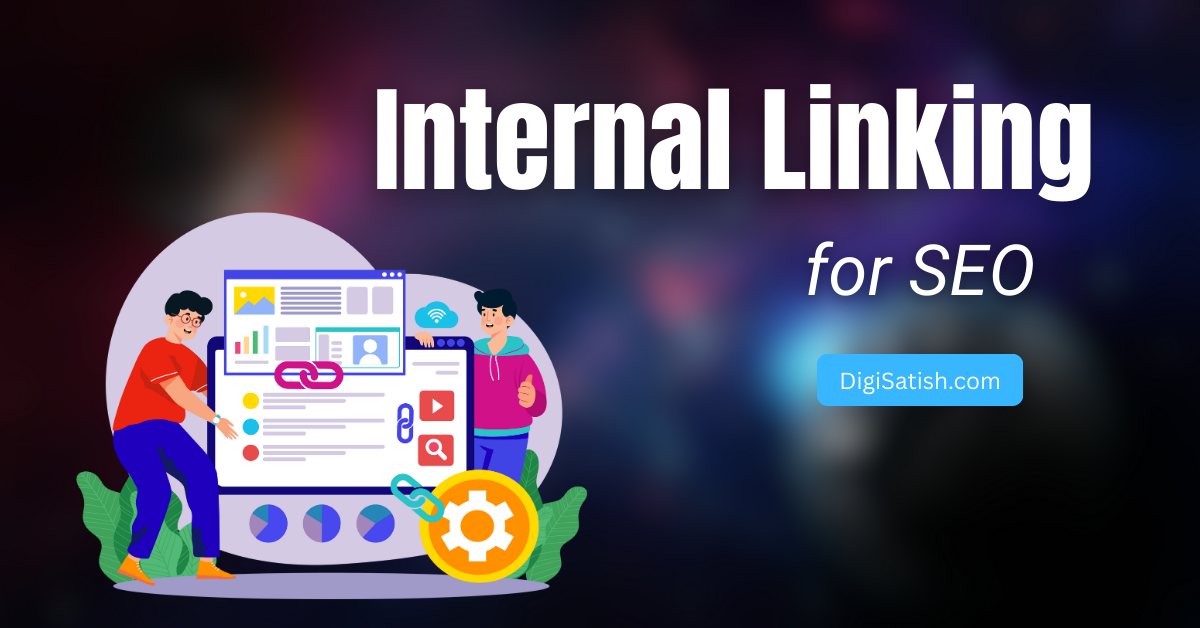
Have you ever clicked on a link within a website? It took you directly to the page you were looking for. That’s the power of internal linking for SEO! Not only does it improve user navigation, but it’s also a critical SEO strategy that enhances rankings when implemented correctly.
In this guide, we’ll explore what internal linking is and why it matters for SEO. We will also cover best practices and common mistakes. Additionally, we’ll discuss powerful tools (including Internal Link Juicer and Link Whisper) to automate and optimize your internal linking strategy.
What Is Internal Linking in SEO?
Internal linking refers to linking one page on your website to another page within the same domain. Unlike external links (which point to other websites), internal links keep users engaged on your site. They also help search engines understand your content structure.
Why Is Internal Linking Important for SEO?
A well-structured internal linking strategy offers several SEO benefits:
- Improves Crawlability: Search engine bots follow internal links to discover and index pages efficiently.
- Distributes Link Equity: High-authority pages pass ranking power (link juice) to other pages through internal links.
- Enhances User Experience (UX): Helps visitors find related content, reducing bounce rates and increasing engagement.
- Strengthens Site Architecture: Organizes content into topic clusters, making it easier for search engines to understand relevance.
Internal Linking for AI Search & GEO (Generative Engine Optimization)
Search is no longer just about Google’s blue links. In 2026, AI-powered search engines like Google AI Overviews, Perplexity, and Bing Copilot are reshaping how content gets discovered and cited. This shift has given rise to Generative Engine Optimization (GEO) — and your internal linking strategy plays a critical role in it.
AI search engines crawl your site’s internal link structure to understand topical depth and authority. When your internal links tightly connect related content — for example, linking from a “What is Internal Linking?” post to an “Internal Linking Audit Guide” — AI engines recognize your site as a comprehensive, authoritative source on the topic and are more likely to cite or summarize it in AI-generated answers.
GEO-Optimized Internal Linking Tactics:
- Build dense topic clusters — Link all subtopic pages back to a central pillar page. AI engines reward sites that demonstrate topic completeness through structured interlinking
- Use semantically rich anchor text — Instead of “click here,” use natural phrases like “how internal links pass link equity” — this helps AI models understand context.
- Link to definition/explainer pages — When you mention technical terms like “link equity” or “crawl budget,” internally link to pages that explain them — this mimics how authoritative knowledge bases are structured.
- Avoid dead-end pages — Every page on your site should have at least 2–3 outgoing internal links. AI crawlers treat dead-end pages as weak content nodes
💡 Pro Tip for 2026: Structure your internal links like a Wikipedia-style knowledge web — every important concept links outward, and every supporting page links back to the pillar. This is exactly what AI search engines look for when choosing sources to cite in generated answers.
To speed this up, Rank Math’s AI Link Genius automatically analyzes your content and suggests the most relevant internal links in real time — right inside your WordPress editor. It uses AI to understand the context of your content and recommends links that strengthen your topic cluster, which is exactly what GEO-optimized sites need in 2026.
Best Practices for Internal Linking for SEO in 2026
To maximize the impact of your internal linking strategy, follow these SEO best practices:
1. Link Relevant Content Together
- Ensure linked pages are topically related (e.g., linking from “SEO Tips” to “Keyword Research Guide”).
- Avoid random linking—every internal link should provide value.
2. Use Keyword-Optimized Anchor Text
- Instead of generic phrases like “click here,” use descriptive, keyword-rich anchor text (e.g., “best internal linking strategies”).
- Avoid over-optimization—keep anchor text natural.
3. Prioritize Do-Follow Links
- Ensure internal links pass link equity by keeping them as do-follow (default in WordPress).
4. Limit Internal Links Per Page
- Too many links can dilute SEO value and confuse users.
- Aim for 3-5 high-quality internal links per page (more for pillar pages).
5. Update Old Content with New Links
- Regularly audit and refresh old posts by adding internal links to newer content.
- This keeps your site fresh and well-connected.
Common Internal Linking Mistakes to Avoid (Expanded Guide)
Internal linking is a powerful SEO tactic, but doing it wrong can hurt your rankings and user experience. Here are the most common internal linking mistakes and how to avoid them:
1. Too Many Links – Overloading a Page with Links
Problem: Stuffing a page with excessive internal links (especially in footers or sidebars) can:
- Dilute link equity, reducing the SEO value passed to each linked page.
- Overwhelm users, making navigation confusing instead of helpful.
Solution:
- Stick to 3-5 relevant internal links per 1,000 words.
- Prioritize contextual links (within content) over excessive navigational links.
2. Broken or Orphaned Pages – Missing Links Hurting SEO
Problem:
- Broken links lead to 404 errors, frustrating users and wasting crawl budget.
- Orphaned pages (pages with no internal links) are invisible to search engines, hurting indexing.
Solution:
- Use tools like Screaming Frog or Ahrefs to find and fix broken links.
- Ensure every page has at least one internal link from another relevant page.
3. Generic Anchor Text – Wasted SEO Opportunities
Problem:
- Using vague anchor text like “click here” or “read more” provides no context to search engines.
- Misses the chance to reinforce keyword relevance for linked pages.
Solution:
- Use descriptive, keyword-rich anchor text (e.g., “best internal linking strategies”).
- Keep it natural—avoid exact-match over-optimization (e.g., “SEO tips” instead of “SEO tips 2026”).
4. Ignoring Deep Links – Only Linking to the Homepage
Problem:
Only linking to your homepage or top-level pages misses opportunities to:
- Boost rankings for deep, valuable content.
- Improve crawlability of lesser-known pages.
Solution:
- Distribute internal links evenly across your site.
- Prioritize deep links (e.g., linking to a guide on “long-tail keywords” instead of just the “SEO blog” category).
Bonus Mistake: Not Updating Old Links
Problem:
Old content with outdated or irrelevant links can mislead users and search engines.
Solution:
- Audit old posts and refresh internal links to newer, more relevant pages.
- Use Link Whisper or Internal Link Juicer to automate internal link updates.
Avoiding these internal linking mistakes ensures:
- Better SEO rankings (stronger link equity distribution).
- Improved user experience (easier navigation).
- Higher search engine visibility (proper indexing).
Links need a logical home; streamlining your overall blog layout and navigation structure makes it effortless for both users and search crawlers to navigate your content silos.
Pro Tip: Use tools like Link Whisper or Internal Link Juicer to automate and optimize your internal linking strategy effortlessly!
How Crawl Depth Affects Your SEO (And How Internal Links Fix It)
Crawl depth refers to the number of clicks it takes for Google’s bot to reach a specific page from your homepage. The deeper a page is buried, the less crawl equity it receives — and the harder it is for Google to discover and index it.
Here’s the simple rule:
| Crawl Depth | SEO Impact |
|---|---|
| 1–2 clicks from homepage | Excellent — high crawl priority |
| 3 clicks | Good — still regularly crawled |
| 4–5 clicks | Poor — often under-crawled |
| 6+ clicks | Critical — may not be indexed at all |
Why This Matters for Bloggers:
If you have a high-value post buried 5+ clicks deep inside your blog, Google may barely crawl it — no matter how good the content is. Your internal linking structure is the only lever you control to pull important pages closer to the surface.
How to Reduce Crawl Depth with Internal Links:
- Use Rank Math’s AI Link Genius to audit and fix linking gaps — It scans your entire site and highlights pages with few or no internal links (orphan pages), which are almost always the deepest pages in your crawl structure. With one click, it suggests relevant pages to link to and from — pulling buried content closer to the surface automatically
- Audit your crawl depth using a crawl tool — export a full site crawl and sort pages by depth
- Link deep pages from your homepage or sidebar — even a “Popular Posts” widget can reduce crawl depth by 2–3 levels
- Create pillar pages that act as hubs — your pillar page links to all cluster posts, and all cluster posts link back to the pillar
- Add “Related Posts” sections at the end of every post — this cross-links content and reduces average crawl depth site-wide
- Link to old or deep content in new posts — every time you publish, include 2–3 links to older pages that need more crawl attention
Real Example:
Imagine you have a post: Homepage → Blog → SEO Category → On-Page SEO → Internal Linking Tips — that’s 4 clicks deep. By adding an internal link to “Internal Linking Tips” directly from your pillar SEO page or sidebar, you bring it to 2 clicks deep, dramatically increasing its crawl frequency and ranking potential.
💡 Pro Tip: Use Google Search Console → Pages report to find pages with “Discovered – currently not indexed” status. These are almost always crawl depth victims. Fix them first with strategic internal links.
How to Build a Strong Internal Linking Strategy for SEO (Step-by-Step Guide)
Internal linking is one of the most powerful yet underutilized SEO techniques. A well-planned internal linking strategy helps search engines understand your site structure. It distributes link equity (ranking power) and improves user engagement. Below, we break down the best practices for creating an effective internal linking system that boosts your organic rankings.
1. Identify High-Authority Pages to Distribute Link Juice
Every website has pages that naturally accumulate more authority through backlinks, engagement metrics, and search visibility. These high-authority pages act as power stations that can energize other important but less visible content through strategic internal linking.
The process of identifying and leveraging these pages is crucial because Google’s algorithm interprets internal links as votes of confidence. When you link from a strong page to a weaker one, you’re essentially telling search engines: “This content is valuable.” It deserves more visibility.
Not all pages on your site have the same SEO value. Some pages naturally attract more backlinks and organic traffic, making them high-authority pages.
By strategically linking from these strong pages to weaker but important pages, you can:
- Pass link equity to underperforming content
- Improve crawlability for search engines
- Boost rankings for targeted keywords
How to Do It
- Use Google Analytics to find your top-traffic pages
- Check Google Search Console for high-impression, high-CTR pages
- Use Ahrefs or SEMrush to identify pages with the most backlinks
- Internally link from these high-authority pages to lower-ranking but valuable content
Pro Tip: Focus on evergreen content (guides, pillar pages) rather than outdated posts for maximum impact.
2. Create Topic Clusters for Better Content Organization
Google’s algorithms have evolved to prioritize comprehensive content ecosystems over isolated pages. The topic cluster model reflects this shift. It organizes content into hub-and-spoke structures.
A pillar page serves as the central authority on a broad topic. Meanwhile, cluster content explores subtopics in depth. This approach mirrors how people naturally search for information – starting with broad queries before drilling down into specifics.
Google prioritizes topical authority, meaning sites that deeply cover a subject rank better. A topic cluster model groups related content around a central pillar page, improving:
- Search engine understanding of your content’s relevance
- User experience by guiding visitors to related articles
- Internal link distribution for stronger SEO
How to Do It
- Choose a pillar topic (e.g., “SEO”)
- Create subtopics (e.g., “On-Page SEO,” “Technical SEO,” “Link Building”)
- Interlink them using contextual internal links
- Link back to the pillar page from all cluster content
Example:
- Pillar Page: “Ultimate SEO Guide”
- Cluster Pages:
- “How to Optimize Title Tags for SEO” (links back to pillar)
- “Best Internal Linking Strategies for SEO” (links back to pillar)
Pro Tip: Use semantic keywords (e.g., “SEO best practices,” “how to improve SEO”) to reinforce relevance.
3. Use a Logical Site Structure for SEO & UX
Your website’s architecture directly impacts both search engine crawlers and human visitors. A well-planned hierarchy acts like a map. It helps Google understand which pages are most important. It also enables users to find information intuitively.
Many websites suffer from what we call “flat” structures. In such websites, all pages have equal weight. Worse than that, some have “spaghetti” structures with no clear organization. A well-organized site structure ensures:
- Search engines can crawl and index pages efficiently
- Users find content easily, reducing bounce rates
- Internal links flow naturally, improving rankings
How to Do It
- Hierarchical Structure:
- Homepage → Categories → Subcategories → Individual Posts
- Breadcrumb Navigation: Helps users & search engines understand page hierarchy
- Siloing: Group related content under relevant categories (e.g., “SEO” vs. “Content Marketing”)
- Bad Structure: All blog posts linked only from the homepage (flat structure)
- Good Structure: Home → Blog → SEO → “Best On-Page SEO Techniques”
Pro Tip: Use internal links in navigation menus, footers, and breadcrumbs for better crawlability.
4. Audit Your Internal Links Regularly
Imagine building a perfect internal linking structure. Then, see it decay over time as content gets updated, moved, or removed. Like a garden, your link structure requires regular tending.
Broken links create dead ends for users and crawlers, while orphaned pages waste your content investment. Even properly functioning links can become suboptimal as your content strategy evolves.
Over time, internal links can break, become irrelevant, or lose SEO value.
Regular audits help:
- Fix broken links (prevents 404 errors)
- Find orphan pages (pages with no internal links)
- Optimize anchor text for better keyword relevance
Pro Tip: Schedule quarterly internal link audits to maintain a healthy site structure.
How to Audit Your Internal Links in 5 Simple Steps
Step 1: Crawl Your Site with Screaming Frog
Before optimizing your internal links, you need a complete picture of your current linking structure. Screaming Frog’s SEO Spider is a powerful tool for crawling your website. It identifies critical issues that could be hurting your SEO.
This tool mimics how search engine bots explore your site. It gives you actionable insights into broken links, orphaned pages, and anchor text distribution.
By running a full crawl, you’ll uncover hidden problems that may be limiting your rankings.
- Detect broken internal links: Go to Filter → Response Codes → 404. You can find dead links that frustrate users here. These broken links waste crawl budget.
- Find orphan pages: Check Filter → Inlinks → 0 to locate pages with no internal links. These pages are invisible to search engines.
- Analyze anchor text: Export the Anchor Text report to ensure you’re not over-optimizing with repetitive keywords.
Step 2: Fix Critical Issues
Now that you’ve identified problems, it’s time to take action. Broken links and orphaned pages create a poor user experience and weaken your site’s SEO performance.
Addressing these issues ensures Google can properly crawl and index your content while improving navigation for visitors.
A well-structured internal linking strategy keeps your site healthy and helps distribute ranking power effectively.
- Redirect or remove broken links: Use 301 redirects for important pages or delete outdated links.
- Rescue orphan pages: Add internal links from relevant blog posts or category pages to give them visibility.
- Diversify anchor text: Replace spammy exact-match anchors with natural variations (e.g., “SEO tips” instead of “best SEO tips 2026”).
Step 3: Check Google Search Console
Google Search Console (GSC) provides valuable data on how Google views your site’s internal linking structure. Unlike third-party crawlers, GSC shows real indexing issues that might be affecting your rankings.
By reviewing crawl errors, you can ensure Google is properly discovering your pages. Checking internal link reports helps ensure they are prioritizing your most important pages.
- Review “Coverage → Excluded pages”: Fix pages marked as “Discovered – currently not indexed” due to internal linking gaps.
- Analyze “Links → Internal Links”: Identify pages with few or no inbound links that need attention.
- Monitor crawl stats: Sudden drops in crawled pages may indicate broken internal links.
Step 4: Analyze Link Distribution with Ahrefs/SEMrush
Screaming Frog and GSC help identify technical issues. Ahrefs and SEMrush take internal link analysis further. They show how link equity flows across your site. These tools reveal which pages are powerhouses.
They receive many internal links. Some pages are being overlooked. This helps you strategically redistribute ranking power.
- In Ahrefs: Site Audit → Internal Links shows pages with the most/fewest links. Anchor Text report flags over-optimization risks.
- In SEMrush: Site Audit → Internal Linking Issues highlights weak spots in your structure.
Step 5: Update & Monitor
SEO isn’t a one-time task—your internal linking strategy needs regular maintenance. As you publish new content or update old posts, your link structure evolves. Scheduling periodic audits ensures your site remains optimized for both search engines and users, preventing new issues from creeping in.
- Re-crawl every 2 weeks – Use Screaming Frog to track improvements.
- Quarterly deep audits – Use Ahrefs/SEMrush for advanced analysis.
- Document changes – Track which fixes boosted traffic (Google Analytics).
By following these steps, you’ll maintain a strong internal linking foundation that supports long-term SEO growth. 🚀
Best Tools for Internal Linking Optimization: A Complete Guide
A strategic internal linking strategy requires the right set of tools to maximize efficiency and effectiveness. Whether you’re managing a small blog or a large e-commerce site, these internal linking optimization tools are valuable.
They can help you build authoritative backlinks. They improve crawlability and boost organic rankings.
Below, we break down the top tools for automating internal links, analyzing link equity distribution, and fixing broken links.
1. Internal Link Juicer (WordPress Plugin)
The Internal Link Juicer Plugin automatically smart-links your content, improving SEO and helping visitors discover more of your best posts.
- Auto-Links Keywords – Saves time vs. manual linking
- SEO-Friendly – Strengthens site structure for Google
- Increase Pageviews – Readers stay longer on your site
Get More Traffic with Less Effort!
Internal Link Juicer is a powerful WordPress internal linking plugin that automatically generates contextual internal links based on keyword matching. Unlike manual linking, this tool suggests relevant anchor texts and inserts links dynamically, ensuring natural link distribution across your site.
Key Features
- Automatic Internal Linking – Scans your content and adds links based on predefined keywords.
- Link Equity Distribution – Helps pass ranking power from high-authority pages to newer or weaker pages.
- Ideal for Large Sites – Perfect for content-heavy websites with thousands of pages.
- Customizable Rules – Set specific keywords and URLs to control linking behavior.
Best For
- Bloggers who want hands-off internal linking
- SEOs managing large-scale content sites
- Websites looking to improve crawlability and indexation
2. Link Whisper (WordPress Plugin)

Internal link building is often overlooked in SEO. Link Whisper simplifies this process by providing intelligent suggestions that are easy to manage. Try the plugin now.
Link Whisper is an AI-powered internal linking tool that provides real-time suggestions while you write. It analyzes your content and recommends highly relevant internal links, helping you avoid orphan pages and strengthen topical relevance.
Key Features
- Smart AI Recommendations – Suggests internal links as you type, saving hours of manual work.
- Orphan Page Detection – Identifies pages with zero internal links and suggests fixes.
- One-Click Linking – Instantly insert links without leaving the editor.
- Link Reporting – Tracks internal links across your site for better optimization.
Best For
- Content creators who want faster internal linking
- SEOs focusing on topic cluster strategies
- Websites struggling with poor internal link structures
3. Rank Math SEO (WordPress Plugin)
Rank Math SEO makes WordPress SEO effortless—optimize your content in minutes with AI-powered suggestions, schema markup, and advanced tools.
- 1-Click Optimization – Beat competitors with smart recommendations
- Keyword Dominance – Track multiple keywords per post
- Lightning Fast – Built for speed (no bloated code!)
Used by 2M+ Websites – Join the ranks of top-ranking sites!
This all-in-one SEO plugin includes robust internal linking features alongside its comprehensive optimization toolkit, providing contextual suggestions during content creation.
Key Features & Benefits
- Smart linking recommendations – Suggests relevant internal links as you type
- Link counter – Tracks internal/external link ratios per post
- Advanced customization – Set nofollow/sponsored attributes on individual links
- SEO score integration – Factors internal links into overall content grading
Ideal Use Cases
- WordPress users wanting all SEO features in one plugin
- Sites needing granular control over link attributes
- Publishers who value data-driven content optimization
4. Ahrefs (SEO Tool Suite)
Ahrefs is a premium SEO tool. It provides deep internal link analysis. This helps you audit link distribution, find orphan pages, and optimize anchor texts.
Key Features
- Internal Links Report – Shows which pages have the most/fewest internal links.
- Broken Link Checker – Identifies 404 errors affecting SEO.
- Anchor Text Analysis – Helps avoid over-optimized or spammy anchors.
Best For
- SEO professionals managing enterprise-level websites
- Agencies running technical SEO audits
5. Screaming Frog (Website Crawler)
Screaming Frog is a powerful site crawler. It scans your website for broken links, redirects, and orphan pages. This makes it essential for technical SEO audits.
Key Features
- Comprehensive Link Audits – Finds all internal/external links on your site.
- Orphan Page Detection – Highlights pages with no inbound internal links.
- Exportable Reports – Helps track and fix issues systematically.
Best For
- Technical SEOs who need deep website analysis
- Developers fixing crawlability issues
Which Internal Linking Tool Should You Use?
| Tool | Best For | Key Benefit |
|---|---|---|
| Internal Link Juicer | Large websites | Fully automated internal linking |
| Link Whisper | AI-powered suggestions | Real-time linking while writing |
| Yoast SEO | Beginners | Basic internal linking help |
| Ahrefs | Advanced SEOs | Deep link equity analysis |
| Screaming Frog | Technical audits | Finding broken/orphaned pages |
Final Recommendation
- For automation: Use Internal Link Juicer
- For AI suggestions: Try Link Whisper
- For audits: Combine Ahrefs + Screaming Frog
By leveraging these internal linking optimization tools, you can enhance SEO rankings, improve crawlability, and create a stronger site architecture.
Internal Linking Strategy for E-Commerce Websites
Internal linking isn’t just for bloggers — it’s a revenue-driving SEO tactic for online stores. E-commerce sites have thousands of product and category pages, making a structured internal linking strategy essential to ensure Google crawls, indexes, and ranks the right pages.
Key E-Commerce Internal Linking Patterns:
- Category → Subcategory → Product Linking
This is the foundation of e-commerce site architecture. Your homepage should link to top-level categories, which link to subcategories, which link to individual product pages. This creates a logical hierarchy that distributes link equity downward.
Example: Homepage → “Men’s Clothing” → “Men’s Shoes” → “Nike Air Max 2026” - Product-to-Product (“You May Also Like”) Links
These cross-links between related products keep users on the site longer and pass link equity horizontally across product pages — both powerful SEO signals. - Blog-to-Product Linking (Content → Commercial Pages)
This is the most underutilized tactic in e-commerce SEO. Write informational blog posts (e.g., “How to Choose the Best Running Shoes”) and link naturally to your product category page. This funnels the blog’s organic traffic authority directly to commercial pages. - Breadcrumb Navigation
Breadcrumbs (e.g., Home > Shoes > Running Shoes > Nike Air Max) are a powerful form of internal linking that improves both UX and crawlability. Google also uses breadcrumbs to display structured URLs in search results. - “Recently Viewed” and “Frequently Bought Together” Links
These dynamic internal link blocks are automatically generated by most e-commerce platforms and are excellent for distributing link equity to long-tail product pages that rarely get direct backlinks.
E-Commerce Internal Linking Checklist:
- Every category page links to all its subcategories
- Every product page links to at least 3 related products
- At least one blog post links to every major category page
- Breadcrumb navigation is enabled and schema-marked
- No product or category page is more than 3 clicks from the homepage
- Seasonal/sale pages are linked from the homepage during peak periods.
Automate E-Commerce Internal Linking with Rank Math AI Link Genius
Managing internal links across thousands of product and category pages manually is practically impossible. This is where Rank Math’s AI Link Genius becomes a game-changer for e-commerce SEO.
Here’s what it does for online stores:
- Scans all your WooCommerce pages — products, categories, and blog posts — and identifies internal linking opportunities you’ve missed
- Suggests contextually relevant links using AI — so a blog post about “best running shoes” will automatically get a link suggestion pointing to your “Running Shoes” category page
- Highlights orphan pages — product pages with zero internal links that Google is likely ignoring
- Works in bulk — you can accept or reject link suggestions across multiple pages without opening each one individually, saving hours of manual work.
For instance, when building a blogging cluster, your tutorials on niching and design should link directly into your comprehensive guide on writing blog posts.
💡 Pro Tip: Run Rank Math AI Link Genius every time you add new products or publish a new blog post. This ensures your e-commerce site’s internal link graph stays tight and every new page is connected from day one — not weeks later when you remember to do it manually.
Conclusion: Mastering Internal Linking for SEO Success
A strategic internal linking strategy is one of the most powerful yet underutilized SEO ranking factors. By implementing the right internal linking best practices and leveraging specialized tools like Internal Link Juicer, Link Whisper, and Rank Math, you can significantly improve your site’s:
- Search engine crawlability – Helping Google discover and index more pages
- Link equity distribution – Passing ranking power to important but weaker pages
- Topical authority – Strengthening content clusters for better relevance signals
- User experience – Reducing bounce rates by guiding visitors to related content
Key Takeaways for Effective Internal Linking
- Automate where possible – Tools like Internal Link Juicer save hours while maintaining optimal internal link density
- Focus on relevance – AI-powered solutions like Link Whisper ensure semantically related internal links
- Audit regularly – Use Rank Math and Ahrefs to identify orphaned pages and broken internal links
- Balance anchor text – Mix exact-match and natural variations to avoid over-optimization penalties
Next Steps to Improve Your Internal Linking
- Start with an audit using Screaming Frog to map existing links
- Implement topic clusters by interlinking pillar pages and supporting content
- Set up automation with Internal Link Juicer for large sites
- Monitor progress in Google Search Console’s internal links report
By treating internal linking as an ongoing SEO process rather than a one-time task, you’ll create a self-reinforcing content ecosystem that drives:
🔹 Higher organic rankings for competitive keywords
🔹 Increased pageviews through smart content discovery
🔹 Stronger domain authority across all pages
Ready to transform your internal linking strategy? Try Link Whisper for AI-powered suggestions or Internal Link Juicer for fully automated optimization today!
Discover more from DigiSatish
Subscribe to get the latest posts sent to your email.